Overview
This article provides an overview about how coins are awarded to students and used in Pathways Learning. Please use the table of contents below to navigate to specific sections for more detailed information.
Table of Contents
Awarding and Assigning Coins
Pathways Learning automatically awards coins when students complete tasks or achieve certain milestones. Coins are awarded when the task is completed and the weekly goal board is then updated. The only exception to this is when the student is in placement mode. In this mode, the student's coins will be awarded after every ten questions have been answered. Check the student's piggy bank to see how the student has earned coins.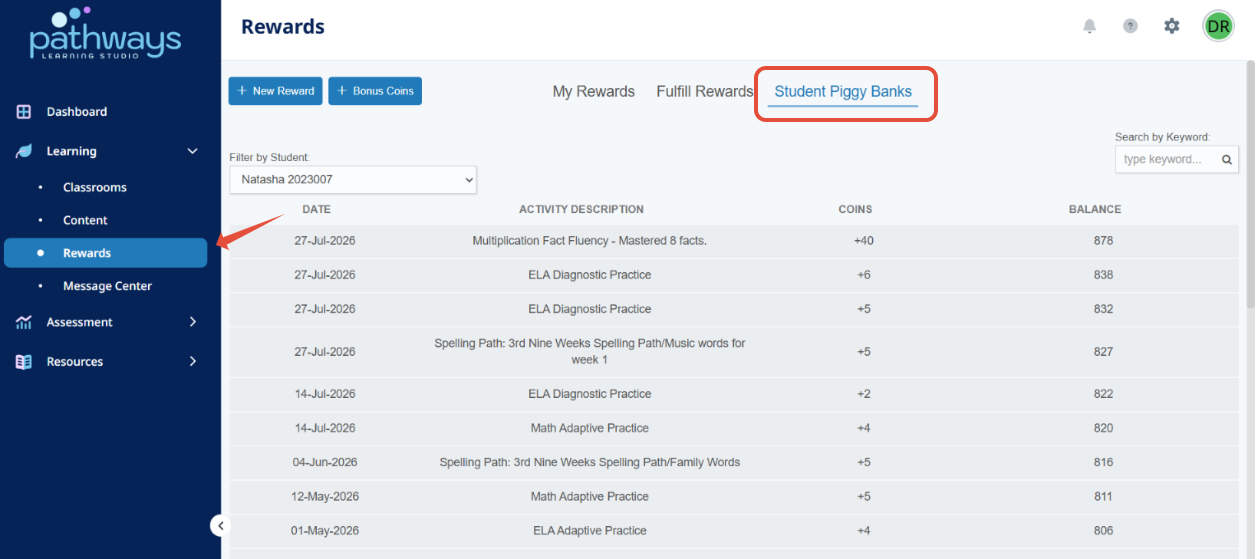
When do students earn coins?
- 1 coin for every question answered correctly
- 1 coin for every positive behavior point
- 1 coin for every word spelled correctly
- 5 coins for every Math fact mastered
- 50 coins for completing a Learning Path
- 50 coins for successful completion of an eBook
- 200 coins for linking a parent
Assigning Bonus Coins
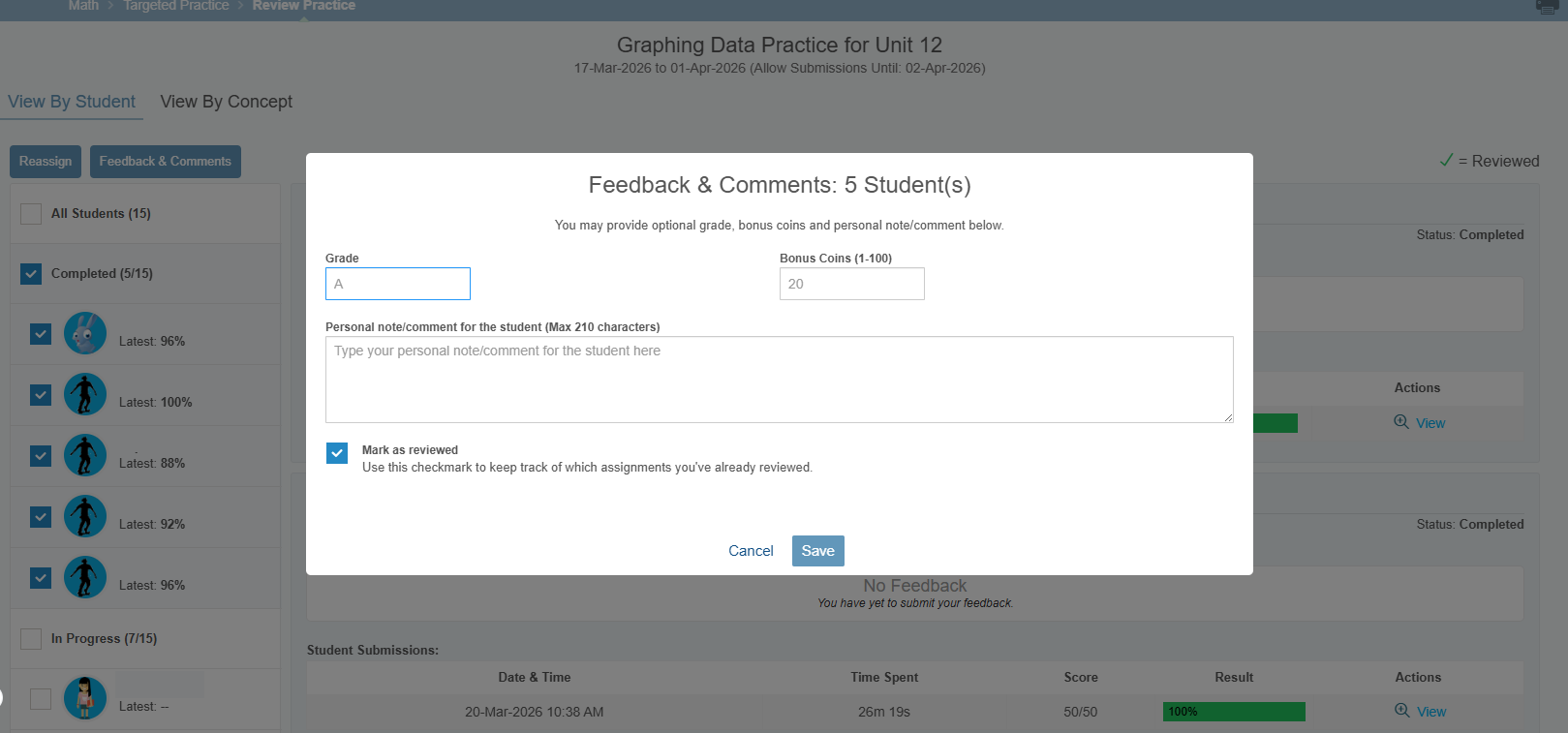
Teachers can assign bonus coins from a Targeted Practice review and the Rewards page.
From the Targeted Practice page:
- Click on Assignment feed or Targeted practice then the eye to review the assignment.
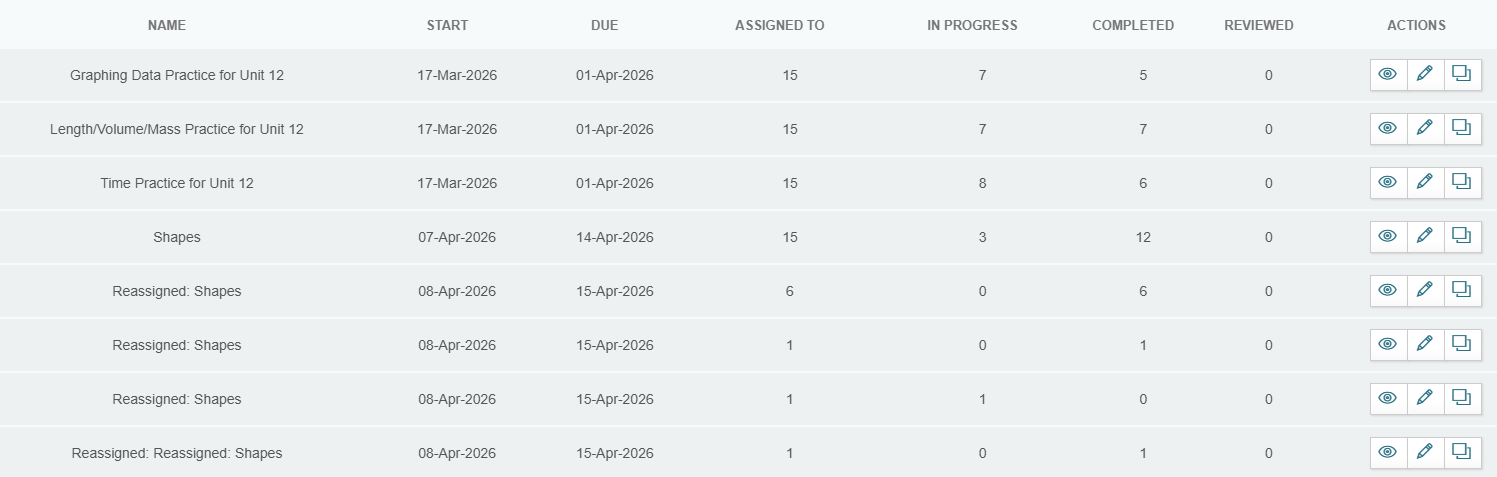
- Check the student or students and then select Feedback & Comments. From the pop up you can assign a grade and award Bonus Coins.
From the Rewards page:
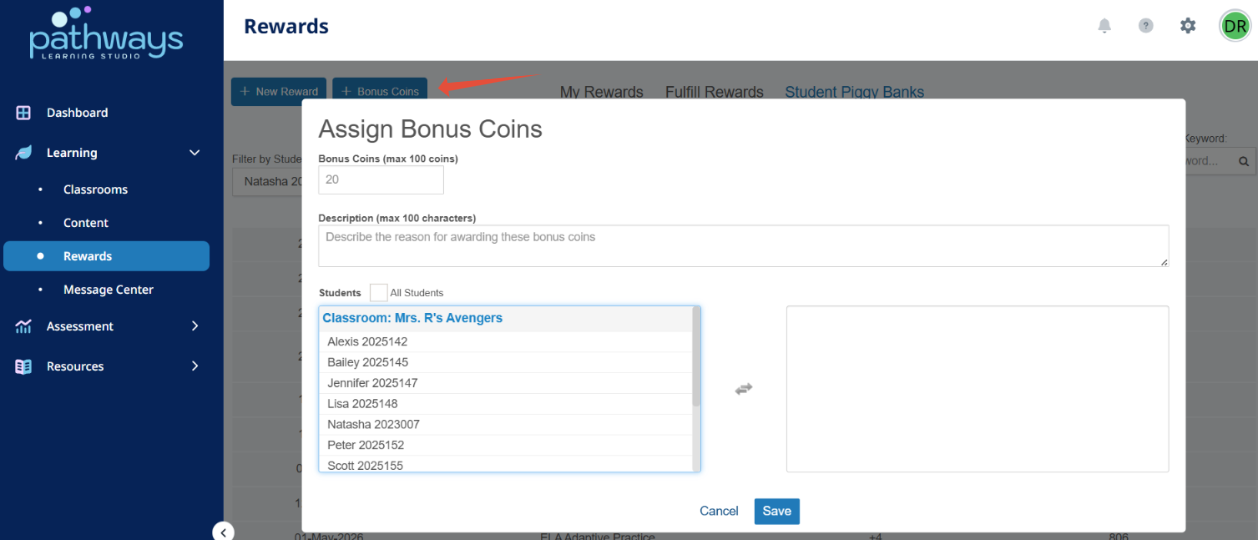
- On your teacher home page select Rewards from the left navigation menu.
- From the Rewards page select +Bonus Coins. Enter the number of coins, the reason, and then select a student or select all students and then click on save.
Related Resources
- Learning Video: User Engagement
- Pathways Learning: The Student Experience
- Pathways Learning: Recommended Practice, Leaderboards, and Certificates
Was this article helpful?
That’s Great!
Thank you for your feedback
Sorry! We couldn't be helpful
Thank you for your feedback
Feedback sent
We appreciate your effort and will try to fix the article