Overview
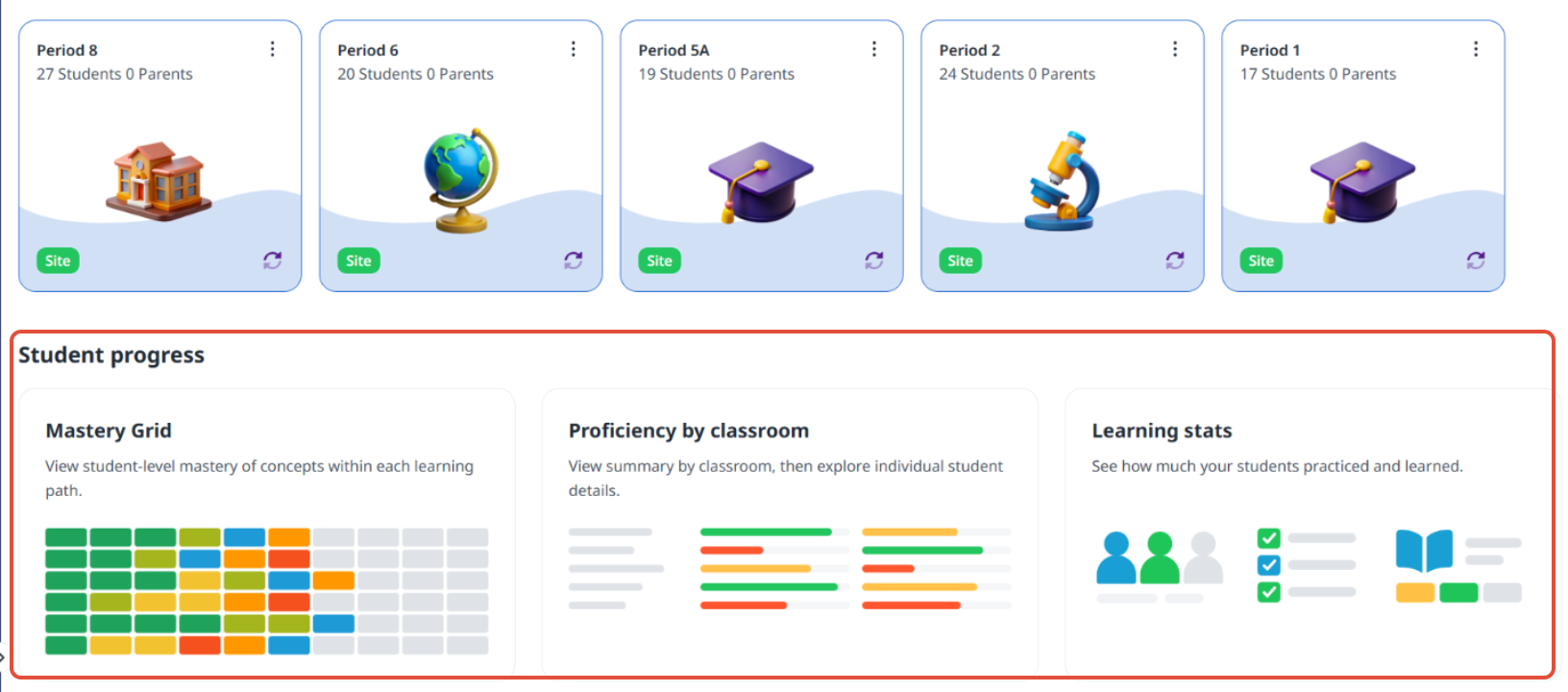
This article walks teachers through how to use the student progress section on the classrooms dashboard.
Mastery Grid report
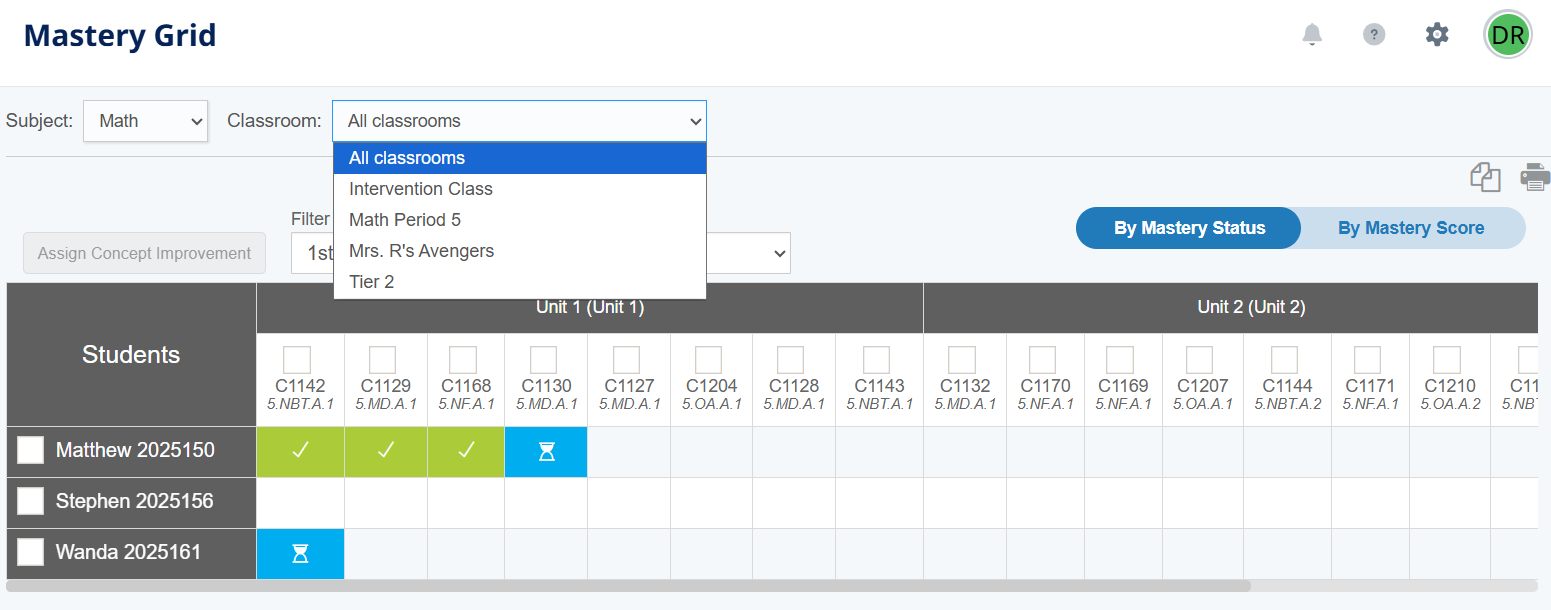
This view of the Mastery Grid displays student progress across classrooms within the same path.
How to use this report: Use the filters to display trends in concepts by mastery status and score. To assign concept improvement, select a classroom first. Then check one or more students and concepts.
Proficiency by Classroom report
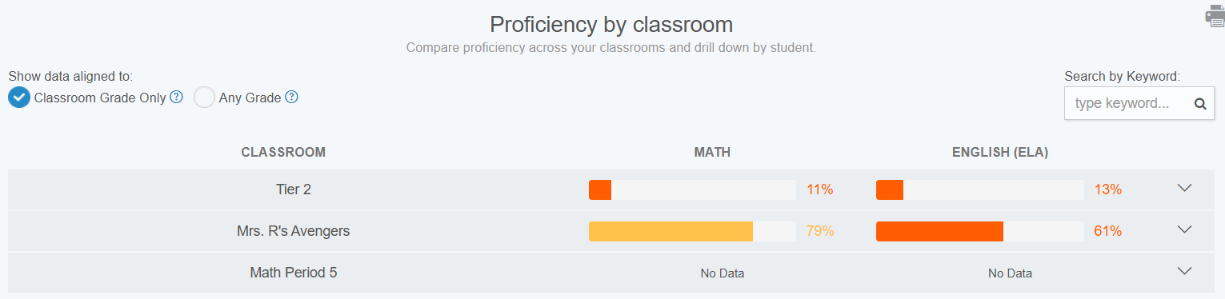
This view displays comprehensive proficiency by classroom.
How to use this report: Use this report to compare classrooms. You can also drill down to see comprehensive student proficiency in the classroom's grade level or across grade levels.
Learning stats report
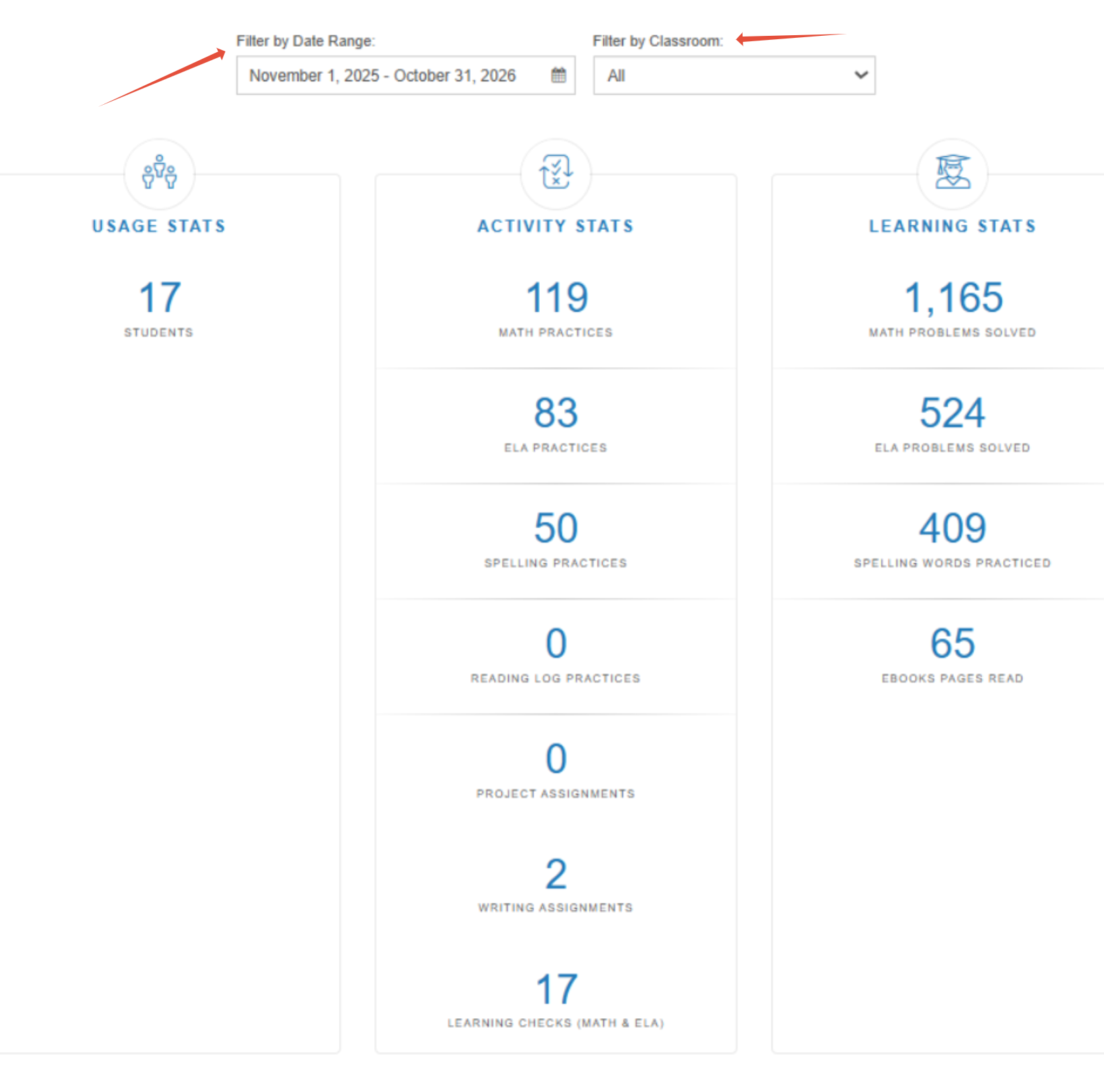
This report allows teachers to see various student metrics over time.
How to use this report: Use this report to see a rollup of problems solved in Math and ELA, Spelling words practiced, Learning Checks taken and more. Filter by classroom to get a high-level overview.
Related Resources
Was this article helpful?
That’s Great!
Thank you for your feedback
Sorry! We couldn't be helpful
Thank you for your feedback
Feedback sent
We appreciate your effort and will try to fix the article