Overview
In this article, we will provide an overview of how to generate MAP Learning Paths for students. By generating individualized paths, teachers can ensure that students are working on concepts aligned to their MAP goal performance areas. Please use the table of contents below to navigate to specific sections for more detailed information.
Table of Contents
Creating Learning Paths
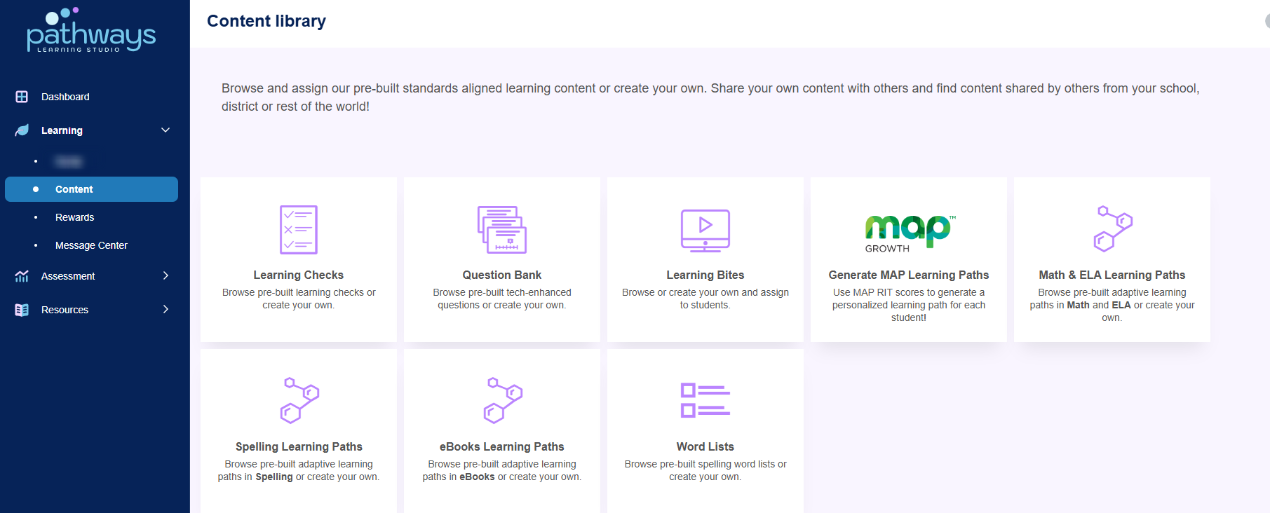
- Select Content under Learning in the left-hand navigation panel. Click on the MAP tile.
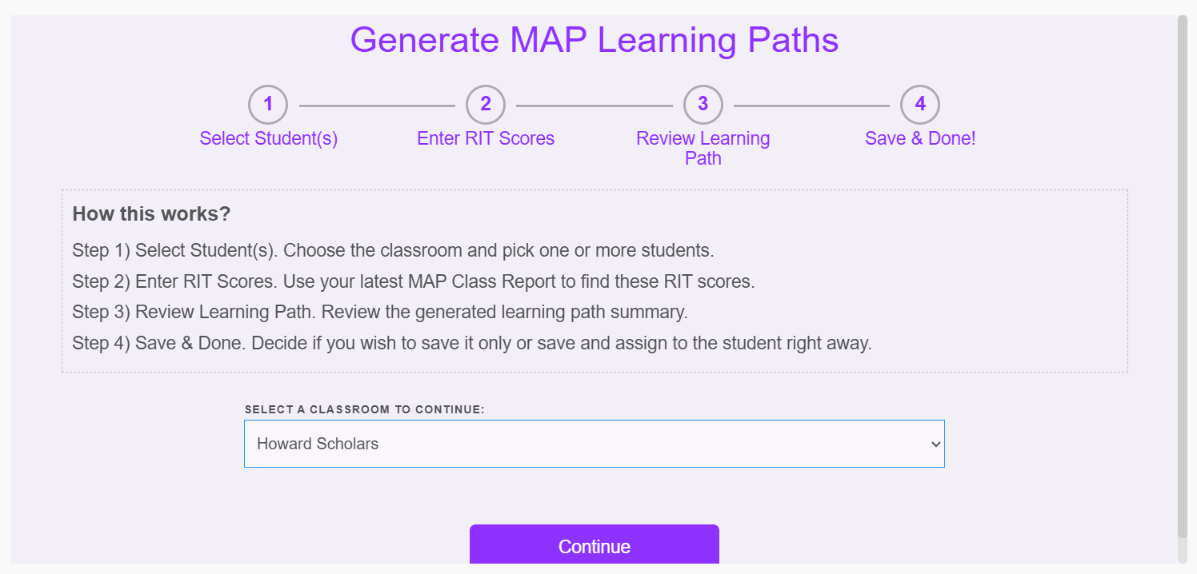
- Choose the classroom and select the student(s) you wish to generate Learning Paths for.
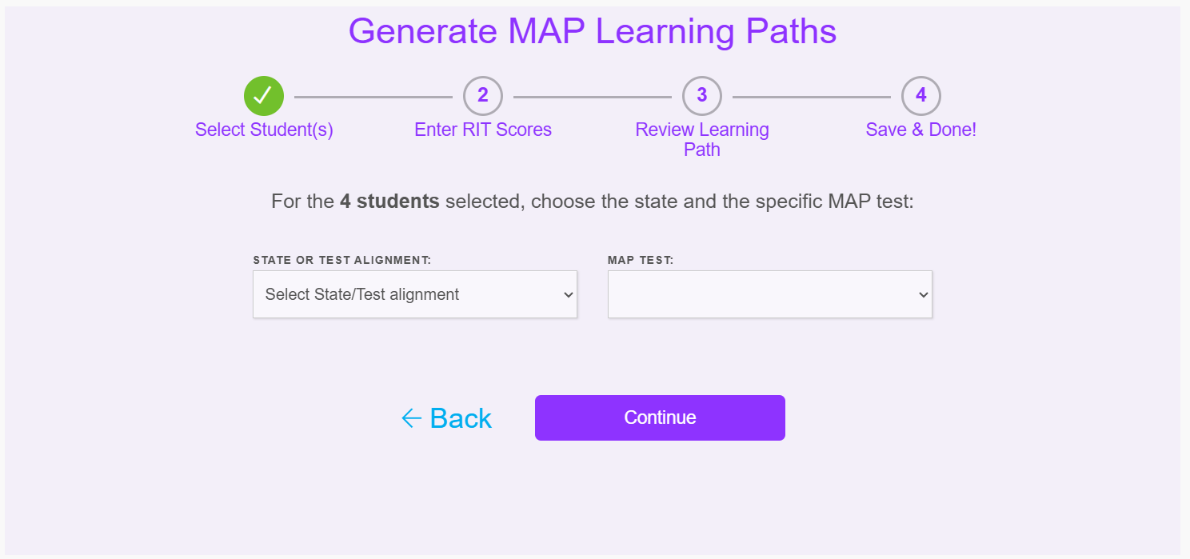
- Select the correct state / test alignment and the specific MAP test taken.
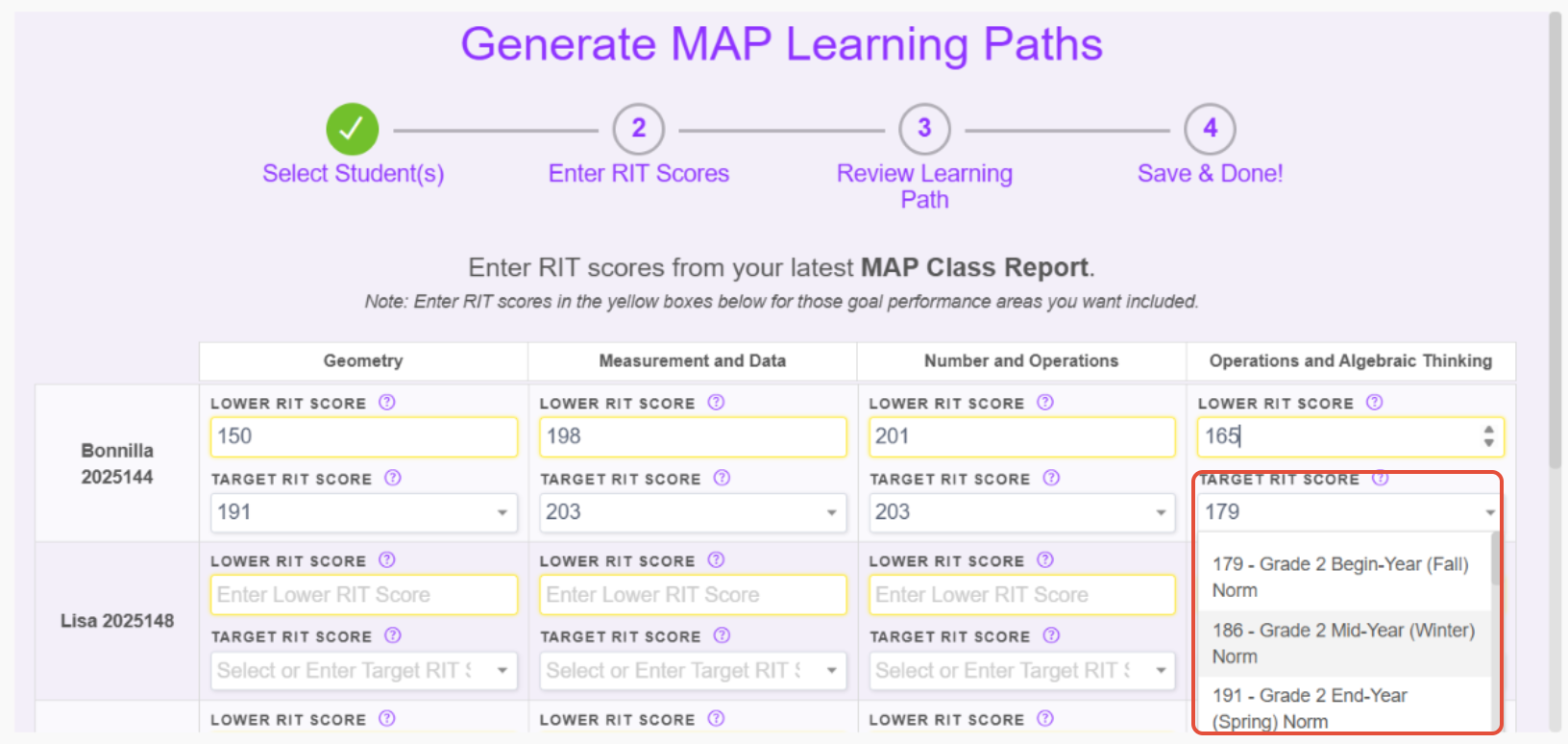
- Start entering the student's lower RIT scores for each instructional area (yellow boxes). The suggested target RIT score will auto-populate but you can adjust by selecting the desired score from the drop-down menu or overwriting the score.
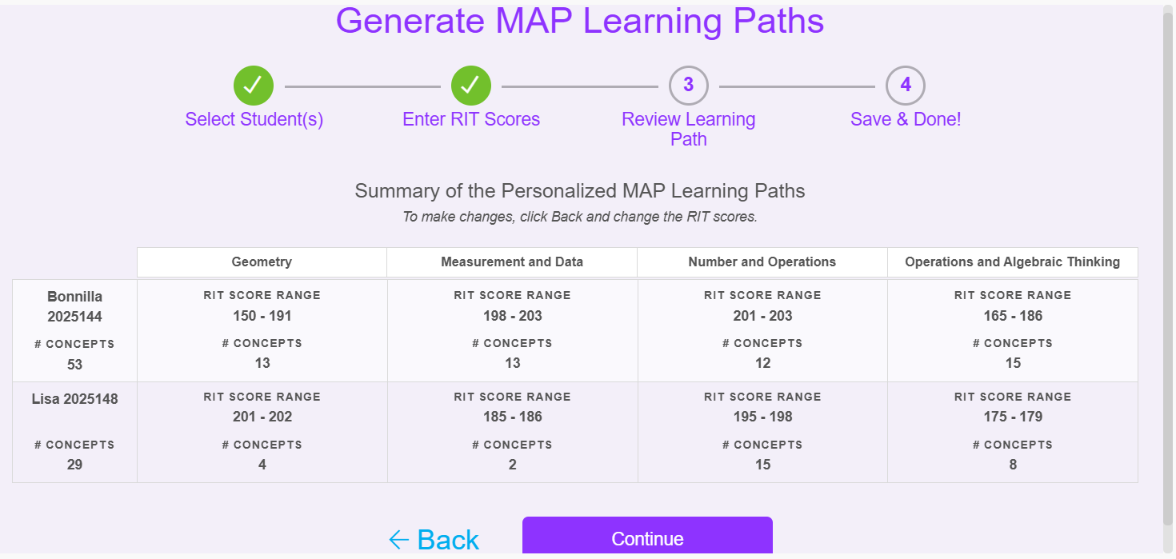
- Review your selections for your students and click continue to view a summary of the personalized MAP Learning Paths. To make changes, click Back and change the RIT scores.
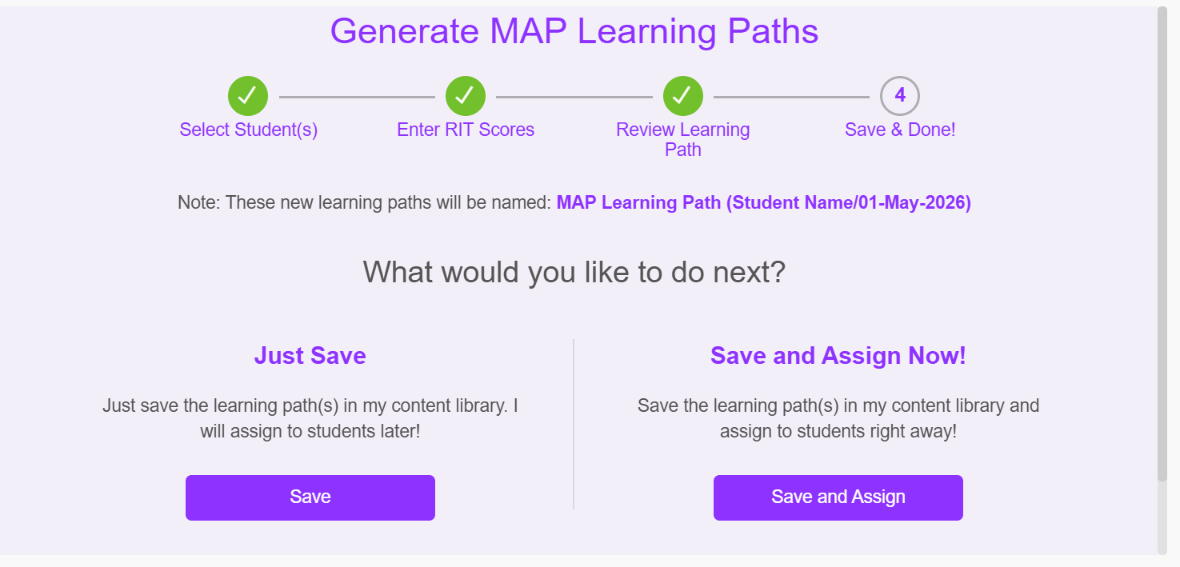
- Learning Paths will be created and have pre-filled names in this format "MAP Learning Path (Student Name/Date)". We recommend choosing to "Save and Assign" to students now (instant process). The option to "Just Save" will result in the teacher having to manually assign to each student.
Note: If you are generating Reading paths and your school takes the Language test, you will need to enter in Language RIT scores at the same time you enter Reading RIT scores.
Common Questions
- Q: Should the target RIT score be adjusted to be the student's current grade level?
A: We suggest that you consider each domain, the Lower RIT score and how many concepts Pathways Learning is suggesting for the student. We recommend that a Learning Path (between Interim Assessments) be between 24 and 40 concepts. In other words, if John tests in August and again in January, a nice-sized Learning Path would have between 24 and 40 concepts for him to work through. Adjusting each target score to the student's instructional level could create a Learning Path that is quite large. - Q: What if students test out of specific areas?
A: We suggest assigning students the next grade level MAP Learning Path by visiting our Content Library. - Q: How do I ensure that students are working on grade-level concepts?
A: By design, when RIT scores are entered, each student may be working on different concepts at different grade levels based on their individual scores. To ensure that students also receive practice on grade-level concepts, teachers should assign targeted assignments as necessary.
Related Resources
- Learning Video: Using NWEA with Pathways Learning
- Pathways Learning: The Student Experience
- Pathways Learning: Types of Learning Paths
- Pathways Learning: Using Targeted Practice (Math & ELA) Assignments
Was this article helpful?
That’s Great!
Thank you for your feedback
Sorry! We couldn't be helpful
Thank you for your feedback
Feedback sent
We appreciate your effort and will try to fix the article