Overview
This article walks district and school administrators through how to review the Knowledge Heatmap for Learning Path insights. What is the Knowledge Heatmap? This is a feature based on data from over 2 million students using Pathways Learning. Administrators can use this to predict the most difficult concepts and prepare your teachers for student success.
Steps to Follow
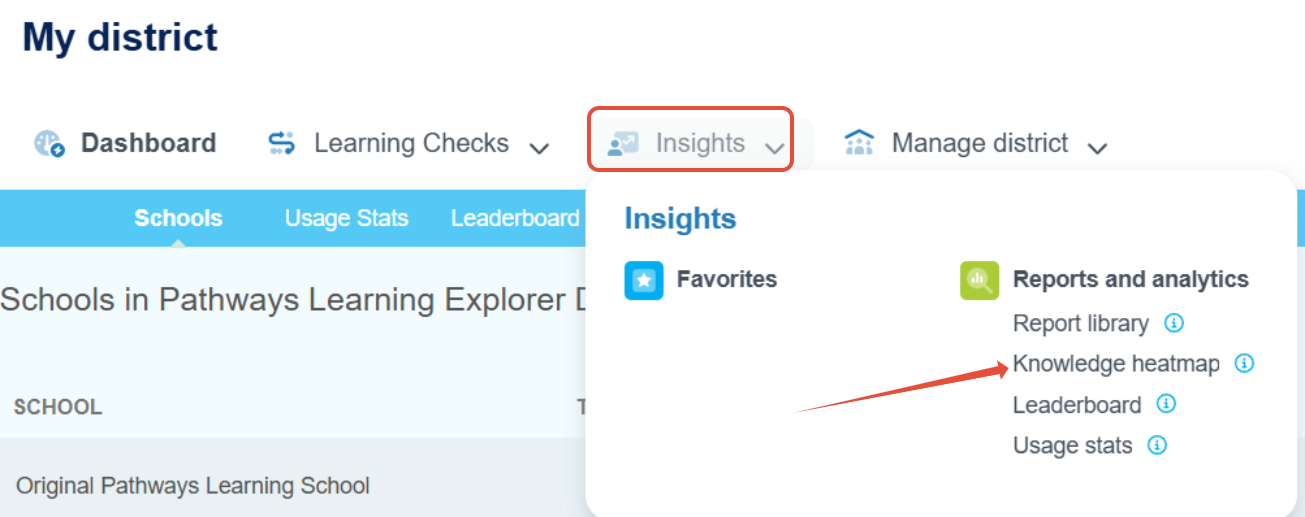
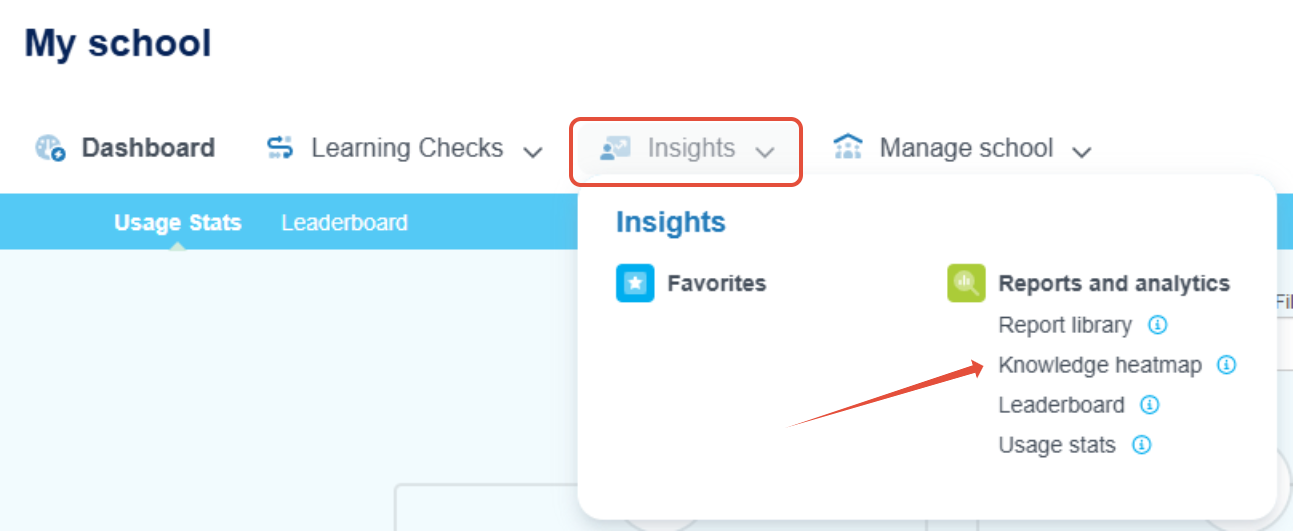
- Launch the Knowledge Heatmap from the Insights menu.
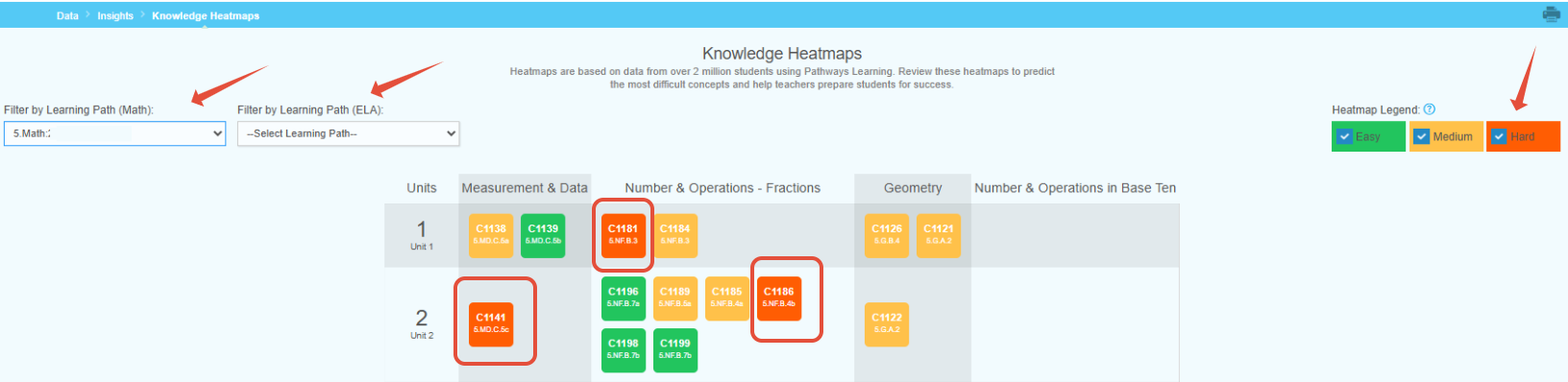
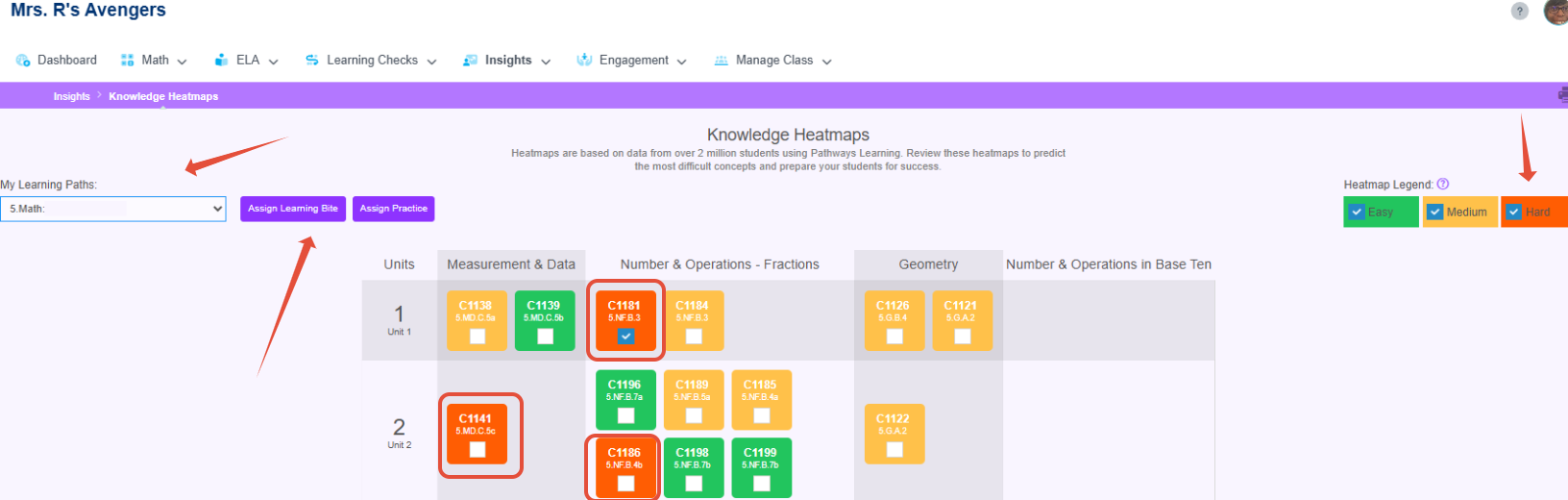
- Filter by any of the Learning Paths in the list. If district-created paths have been customized to align with the scope and sequence, this provides administrators with valuable insights, enabling them to proactively assist teachers in addressing standards before they become problematic. In the first image above, the administrator can see that in the first two units of the path, there are three concepts that are typically difficult for students to master. In the second image, the teacher has the same view and can assign Learning Bites (short, instructional videos) and additional practice.
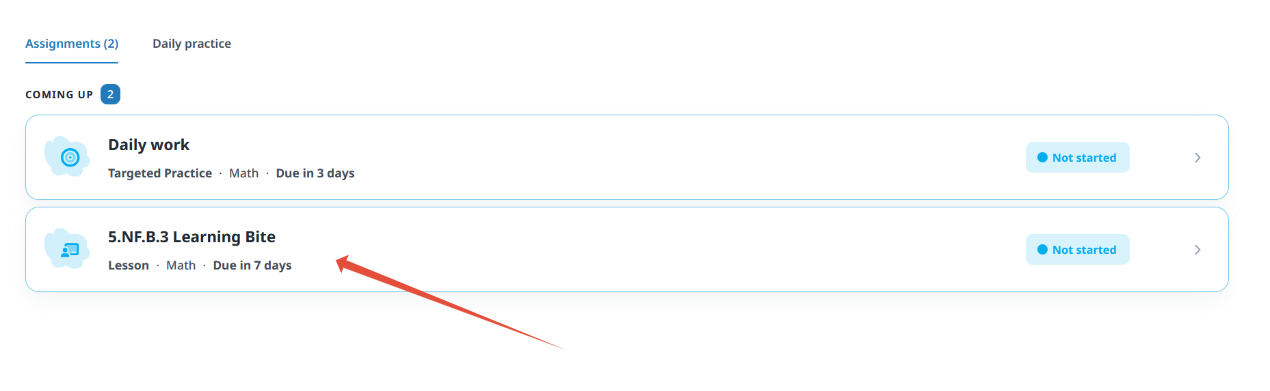
- From the student's perspective, the assigned lesson will help reinforce what the teacher has taught.

By using the Knowledge Heatmap, administrators and teachers can work together to ensure that all students move through the path successfully.
Related Resources
Was this article helpful?
That’s Great!
Thank you for your feedback
Sorry! We couldn't be helpful
Thank you for your feedback
Feedback sent
We appreciate your effort and will try to fix the article