Overview
This article shows district and school administrators how to monitor account usage in two ways. Please use the table of contents below to navigate to specific sections for more detailed information.
Table of Contents
Using Usage Metrics
Usage metrics provide a direct method for monitoring account usage. Administrators can drill down to see learning data across schools and teachers.
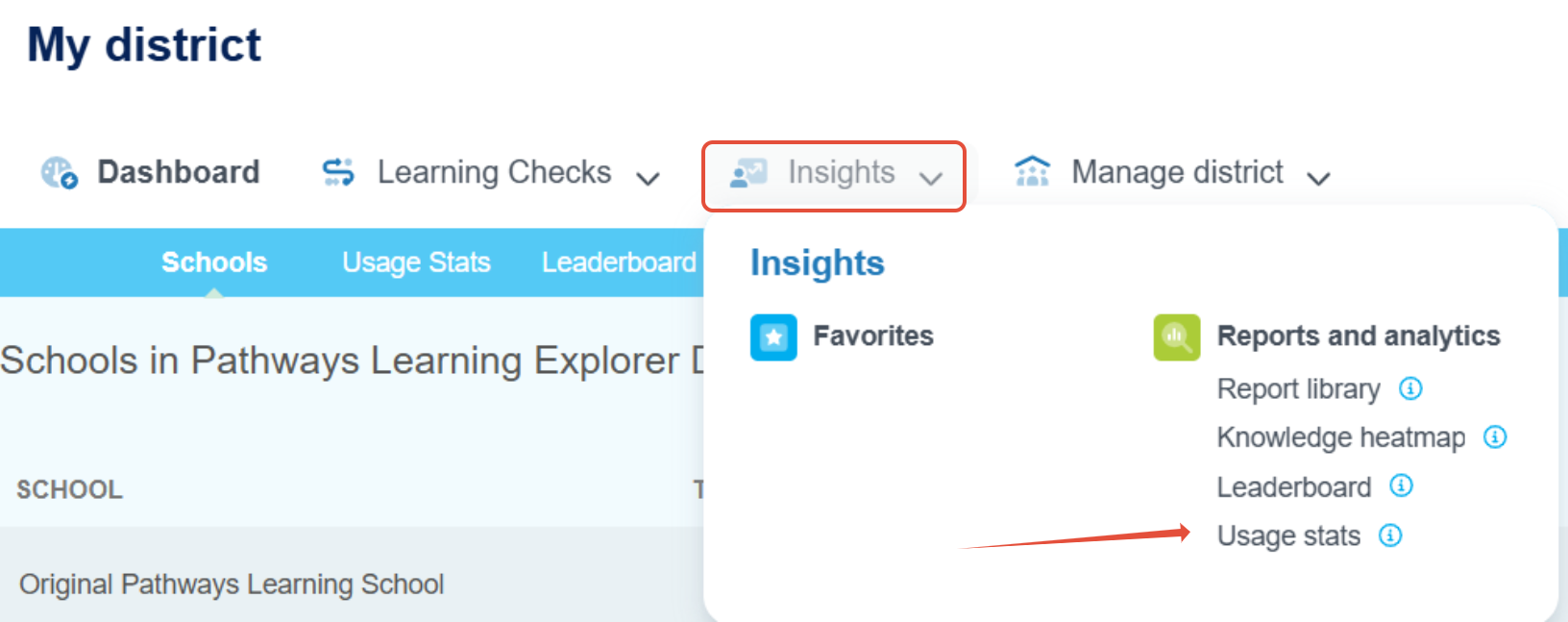
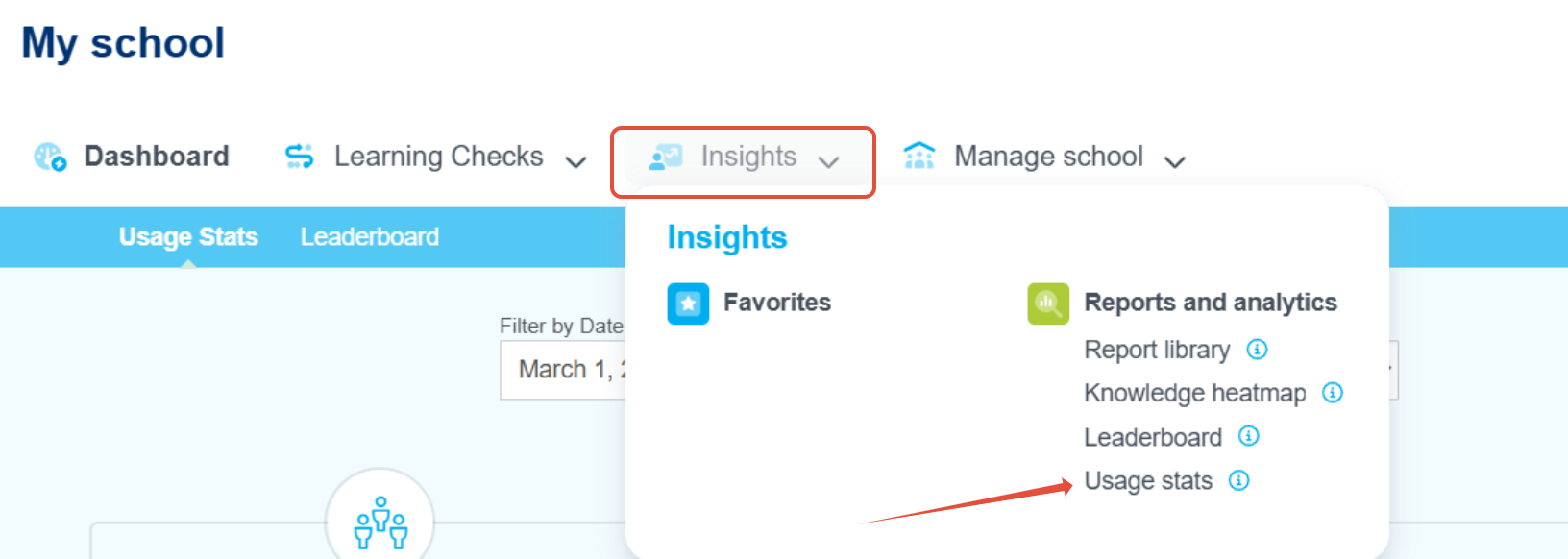
- District administrators immediately land on the Schools dashboard and then can click on Usage stats. School administrators land on Usage stats once they launch their school. Administrators can also launch the stats from the Insights menu.
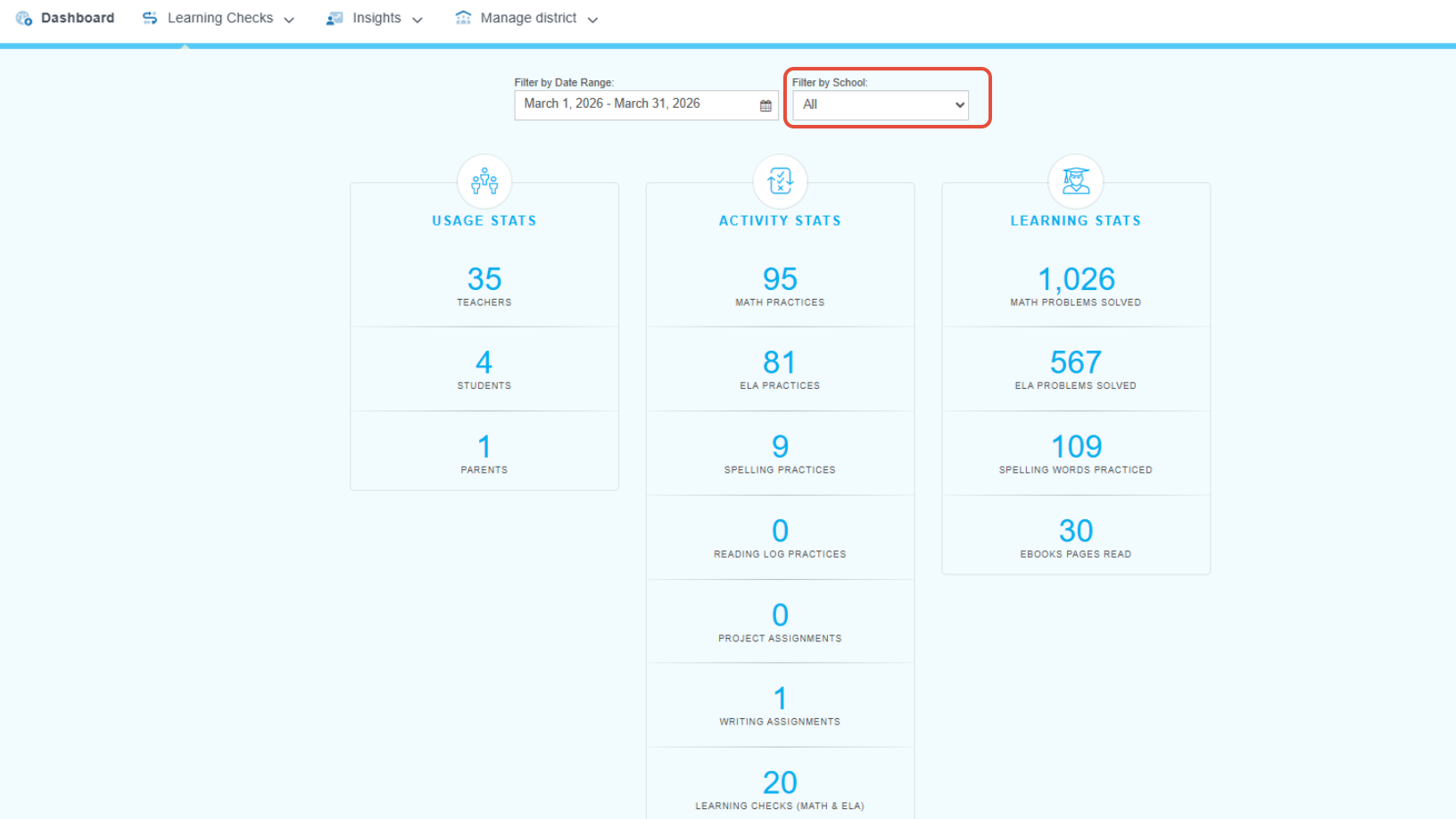
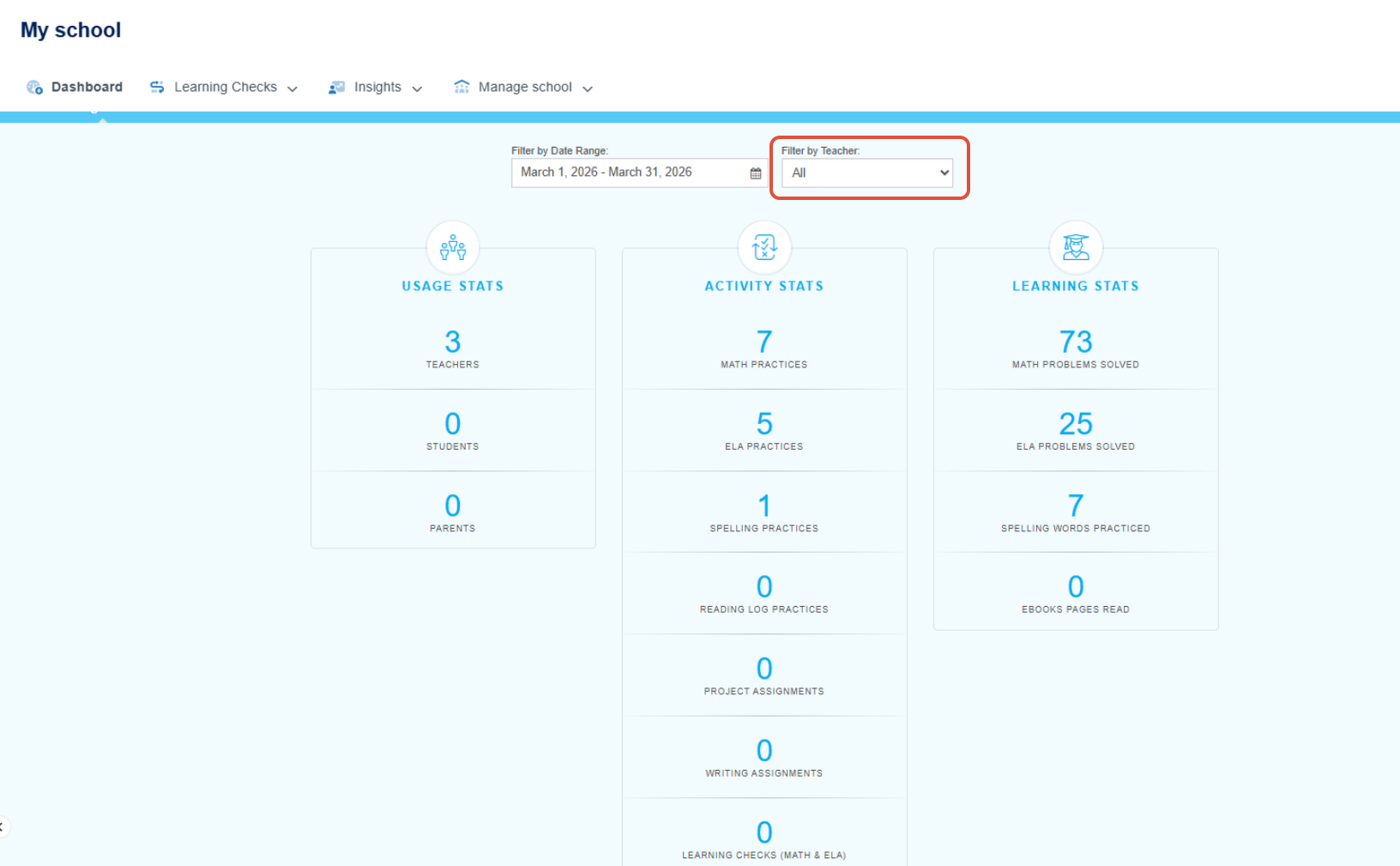
- Use the correct filters based on your role to see the overall usage for the desired period of time. District administrators can see school-level usage. When launched into a specific school from the schools page, district administrators can drill down to see teachers. School administrators can see teacher-level usage.
Using Leaderboards
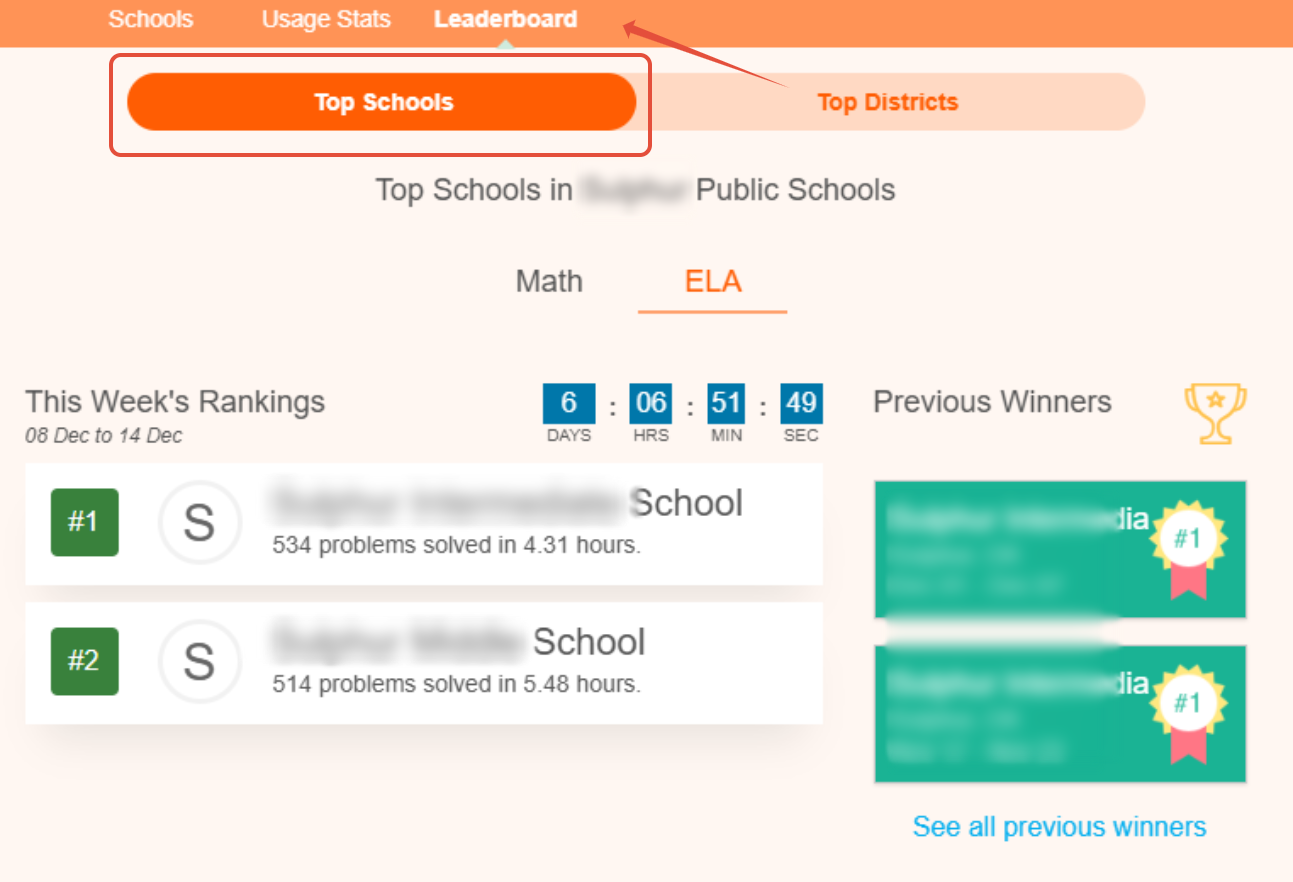
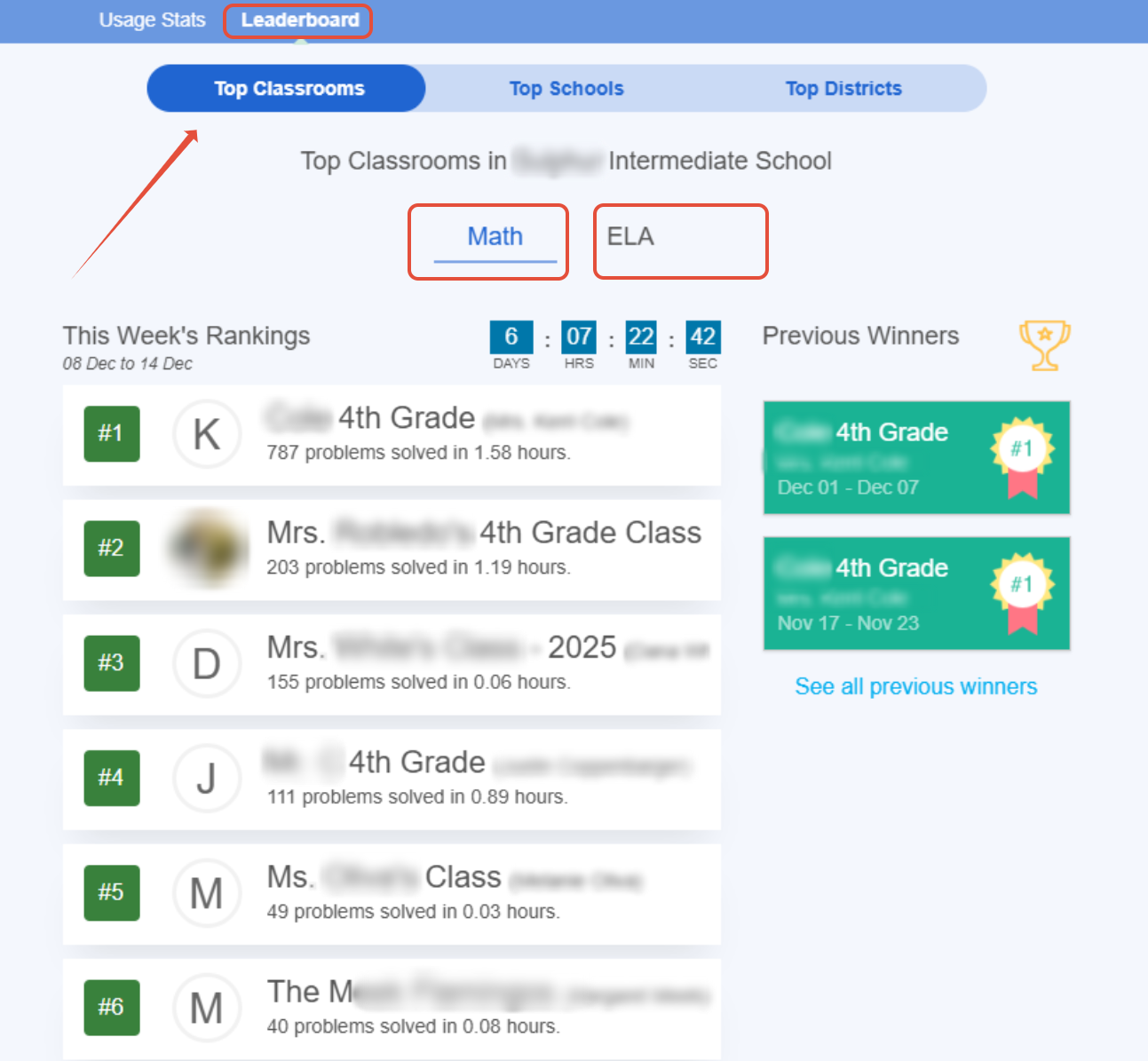
The Leaderboards provide an indirect method for monitoring account usage. By displaying the number of problems solved at each school and identifying the top 10 classrooms, administrators can gain insight into which teachers may require additional support when launching Pathways Learning.
- Launch the Leaderboard from the menu. District administrators can view top schools in the district in Math and ELA. School administrators can see top schools and classrooms in Math and ELA.
Related Resources
Was this article helpful?
That’s Great!
Thank you for your feedback
Sorry! We couldn't be helpful
Thank you for your feedback
Feedback sent
We appreciate your effort and will try to fix the article