Overview
This article walks administrators through how to review the data from Learning Checks. This data can be used to understand classroom performance by concept, standard, and question. Teachers have the same view and can be encouraged to assign improvement practice from the results. Please use the table of contents below to navigate to specific sections for more detailed information.
Table of Contents
Data from an Individual Learning Check
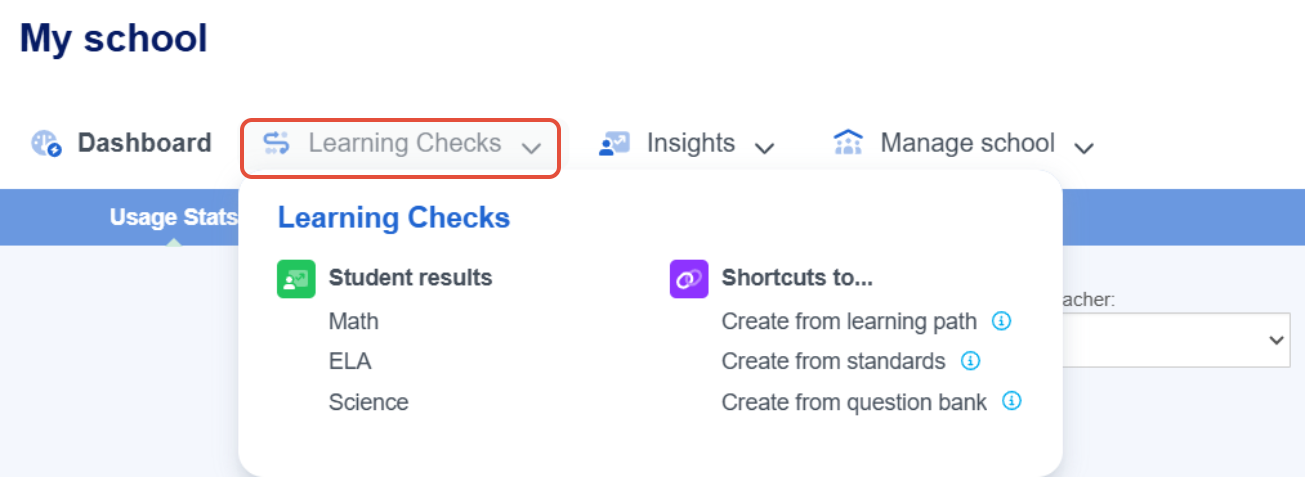
- After launching your school or district, click on Learning Checks and then Math or ELA under Student results.
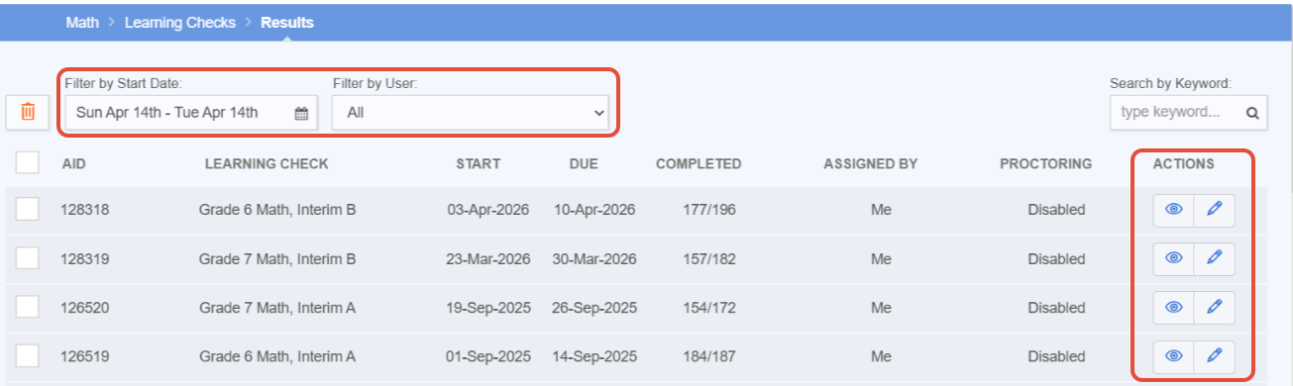
- Locate the specific Learning Check by filtering on date range and/or user. Then select the eye for review.
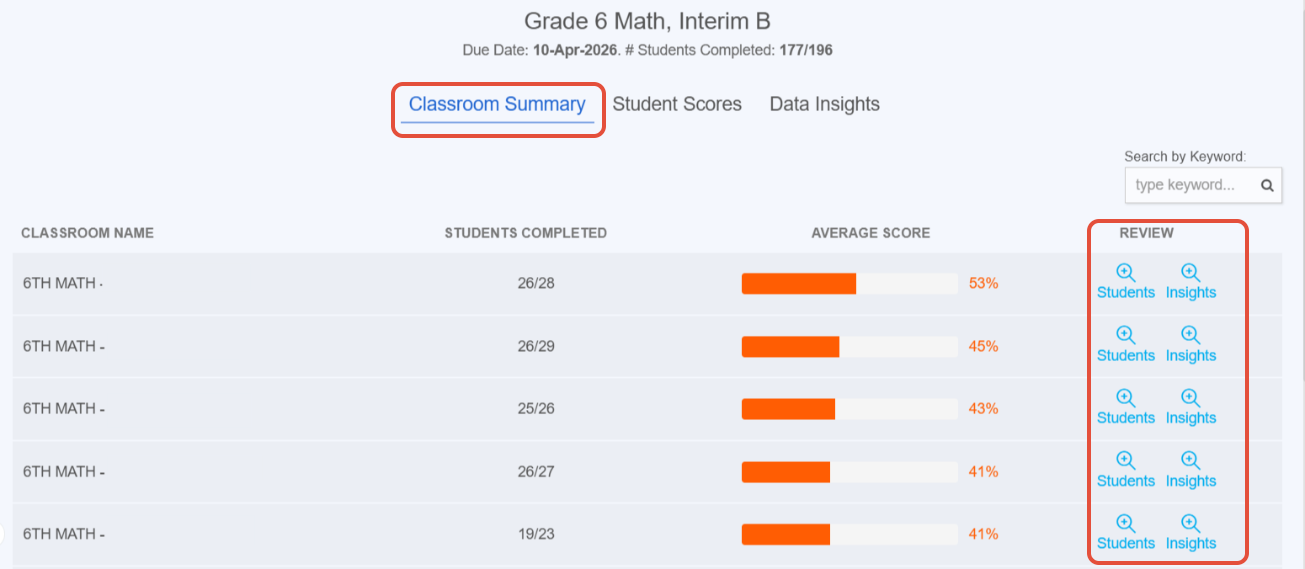
- On the Classroom Summary page, you can see the average score for each class that had been included in the Learning Check. Next to each classroom, you can select the icon under "review" to see more details for each student in the class and for specific insights.
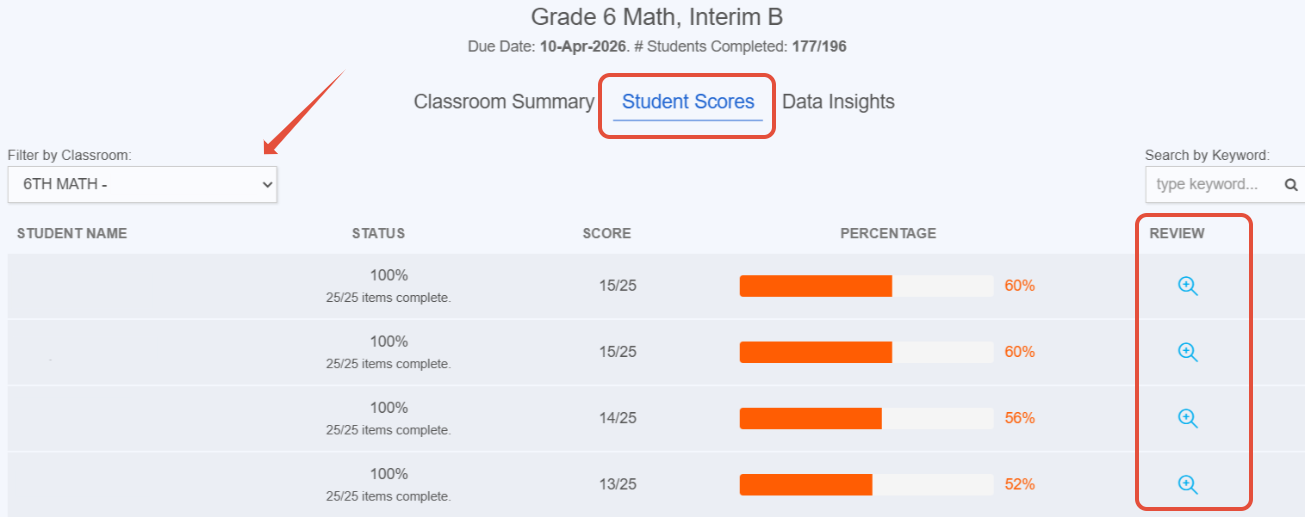
- On the Student Scores page, you can see the students' raw scores and overall percentages. Next to each student select the icon under "review" to see more details for that student.
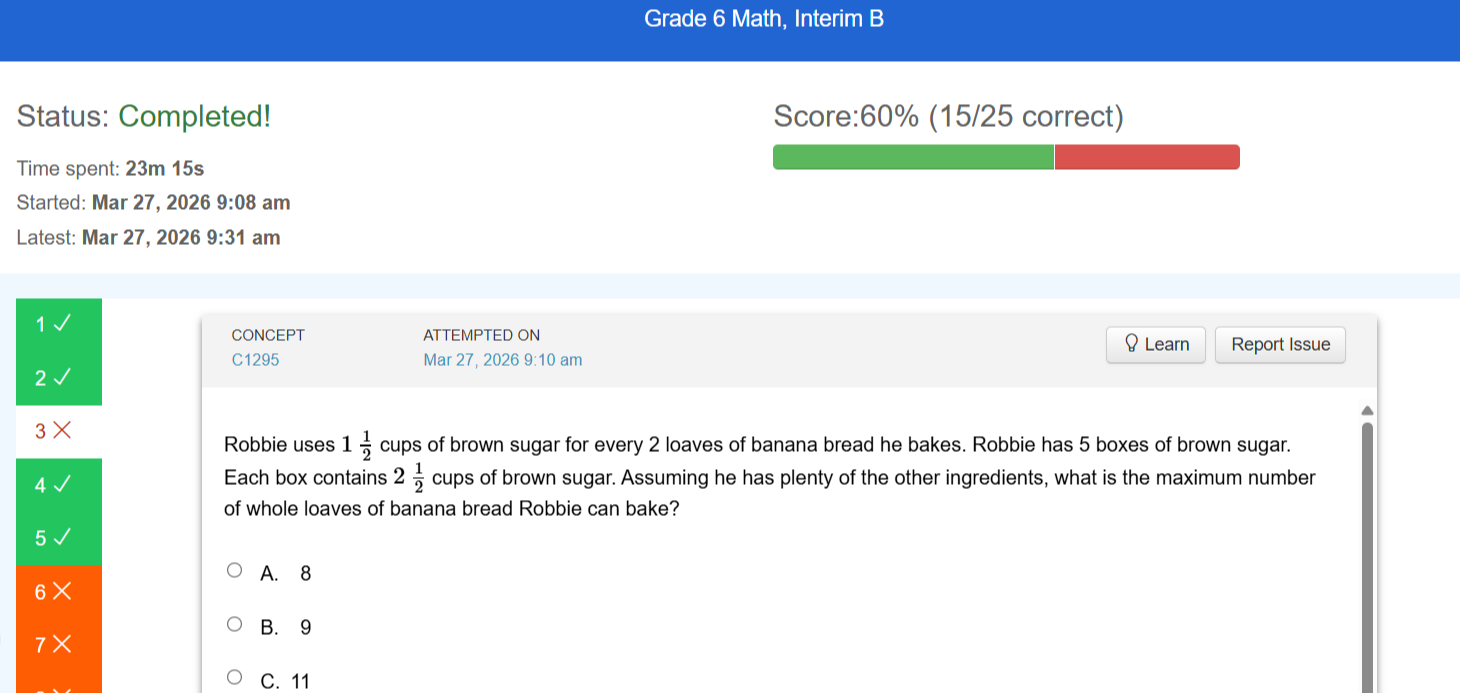
- The individual student details will be displayed question by question.
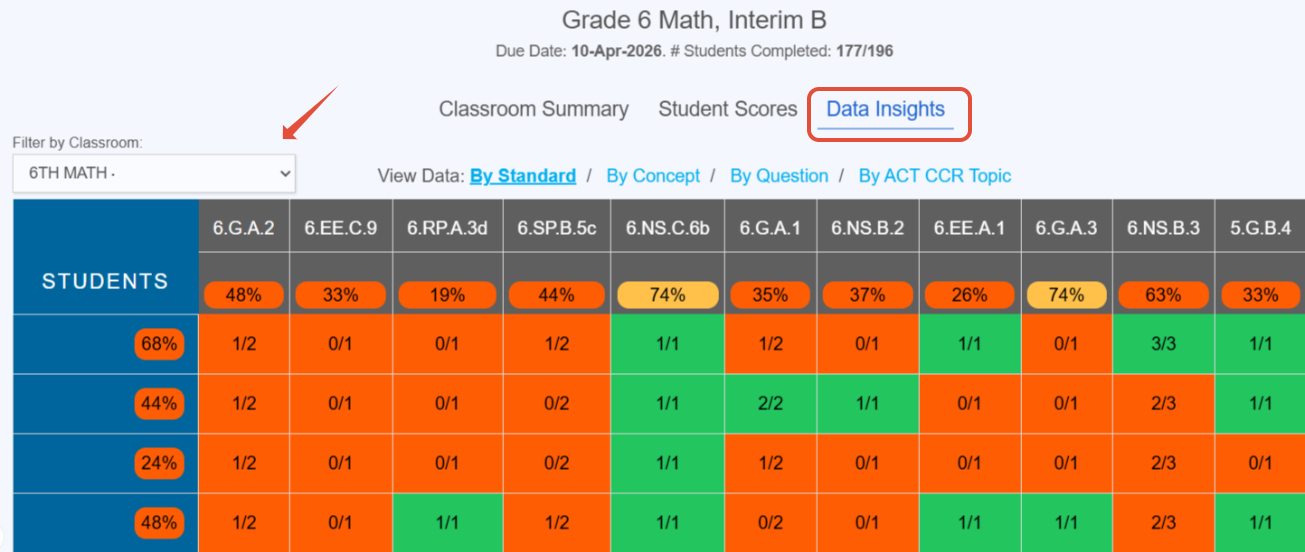
- Click on Data Insights to view results by standard, by concept, and by question. Encourage teachers to drill down to review these individual insights and assign concept improvement to help students practice.
Data from Multiple Learning Checks
Encourage teachers to pull classroom growth reports in order to compare Learning Checks.
- Under Insights, navigate to Classroom reports. District administrators can select the school, teacher, and classroom. School administrators can select the teacher and classroom.
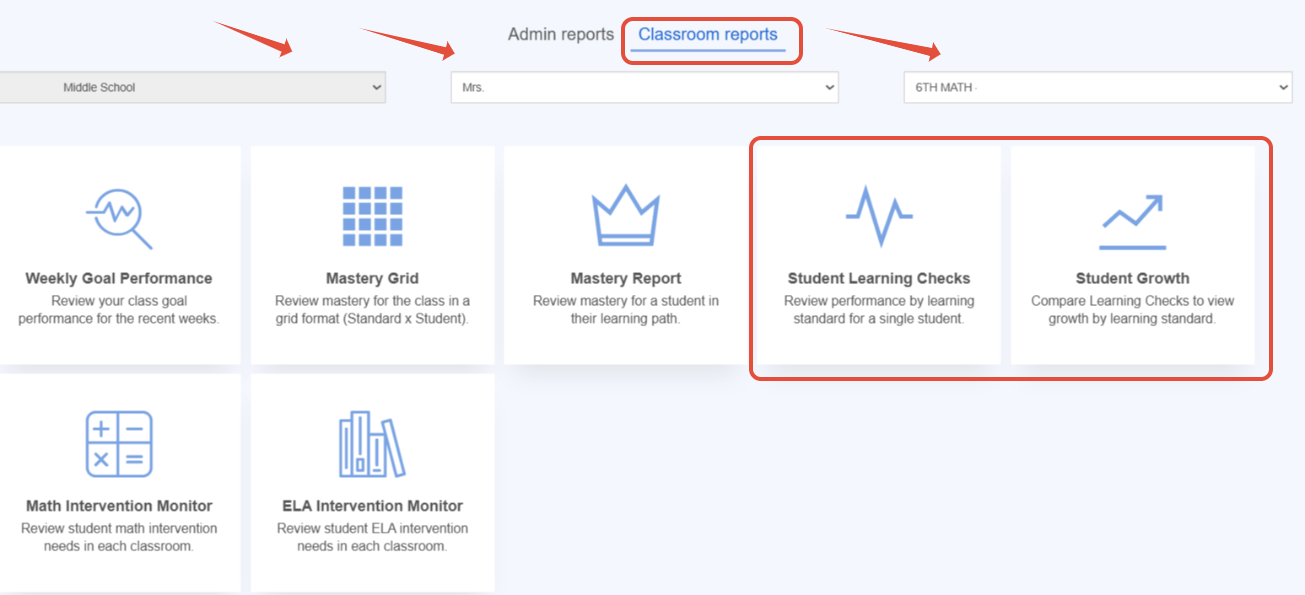
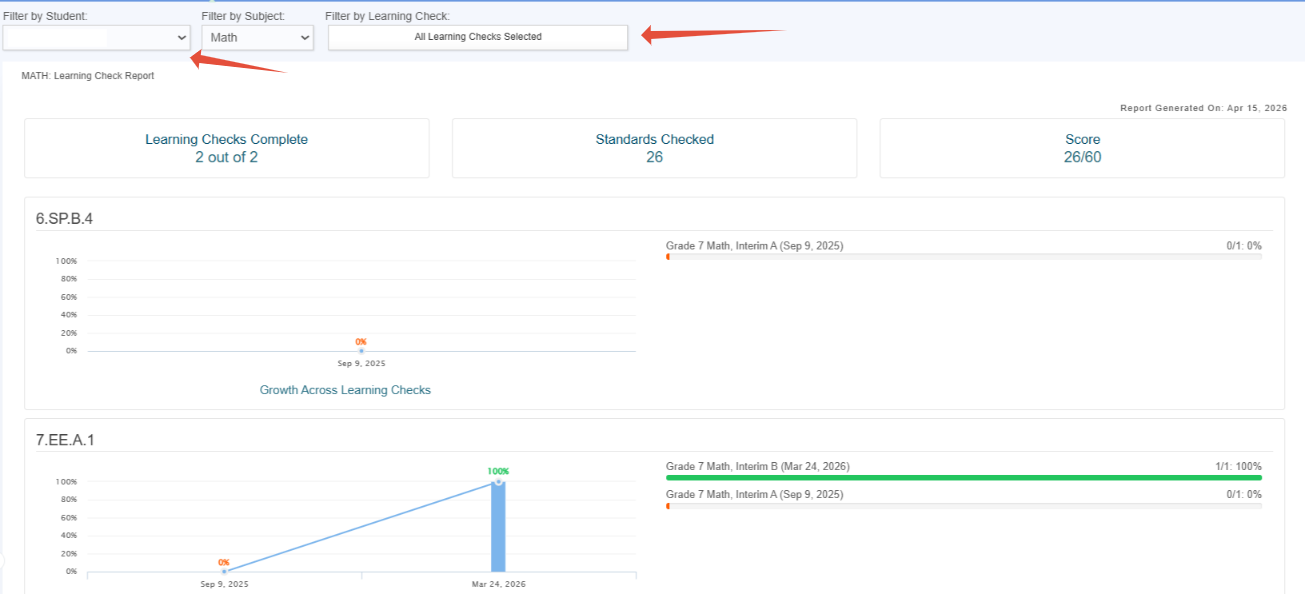
- The Student Learning Checks report displays individual results across Learning Checks and standards.
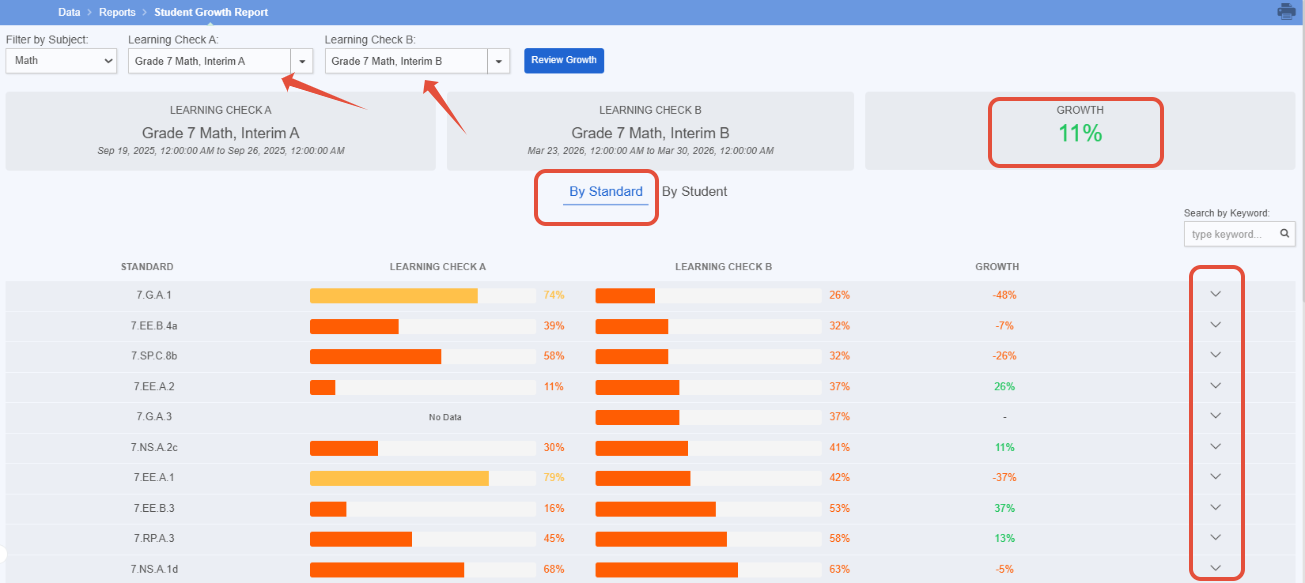
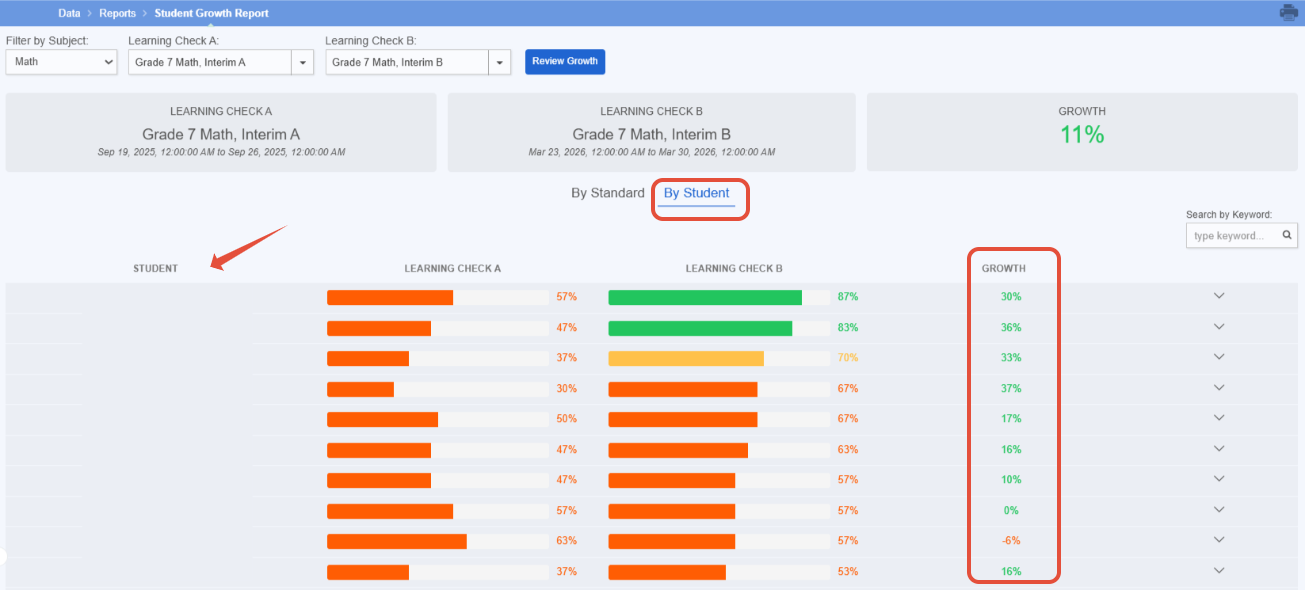
- The Student Growth report displays growth across two Learning Checks. Growth can be visualized by standard and also by student with the ability to drill down as necessary.
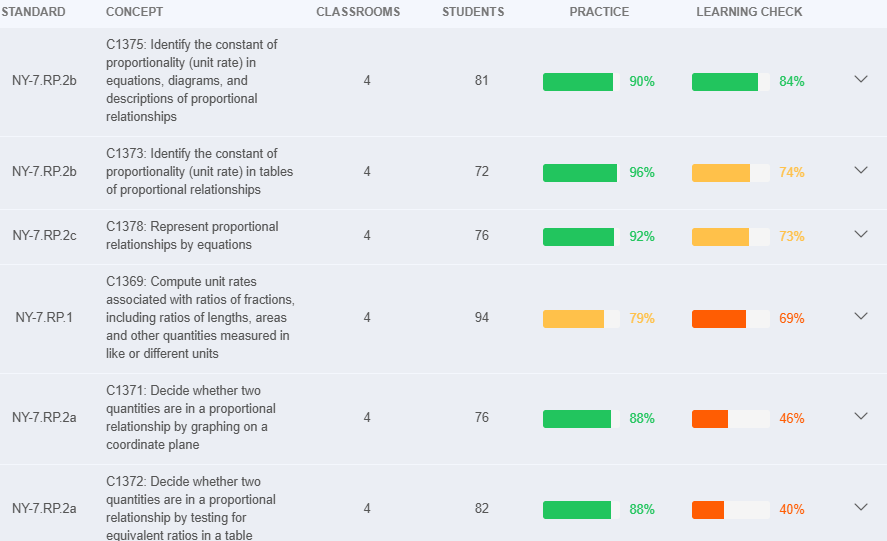
- The Proficiency by Standard report is located under the Insights menu and then report library for administrators. This can be a great view to compare student proficiency for schools and classrooms in practice and Learning Checks. Drill down to see more detail.
Related Resources
Was this article helpful?
That’s Great!
Thank you for your feedback
Sorry! We couldn't be helpful
Thank you for your feedback
Feedback sent
We appreciate your effort and will try to fix the article