Overview
This article will help teachers unpack how to set up rewards and use them to keep students motivated. This feature allows students to use their hard-earned coins in a very productive way.
Steps to Follow
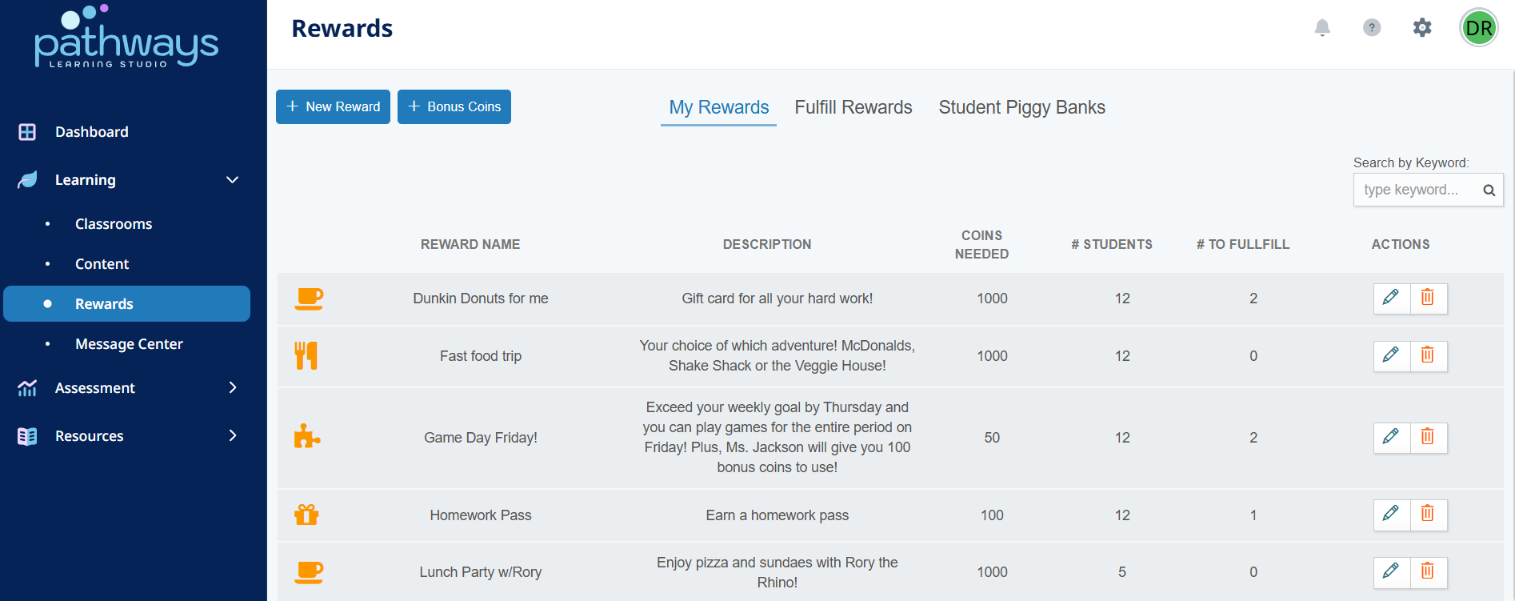
- Access Rewards in the left-hand menu under the Learning module. Click new rewards to start adding rewards.
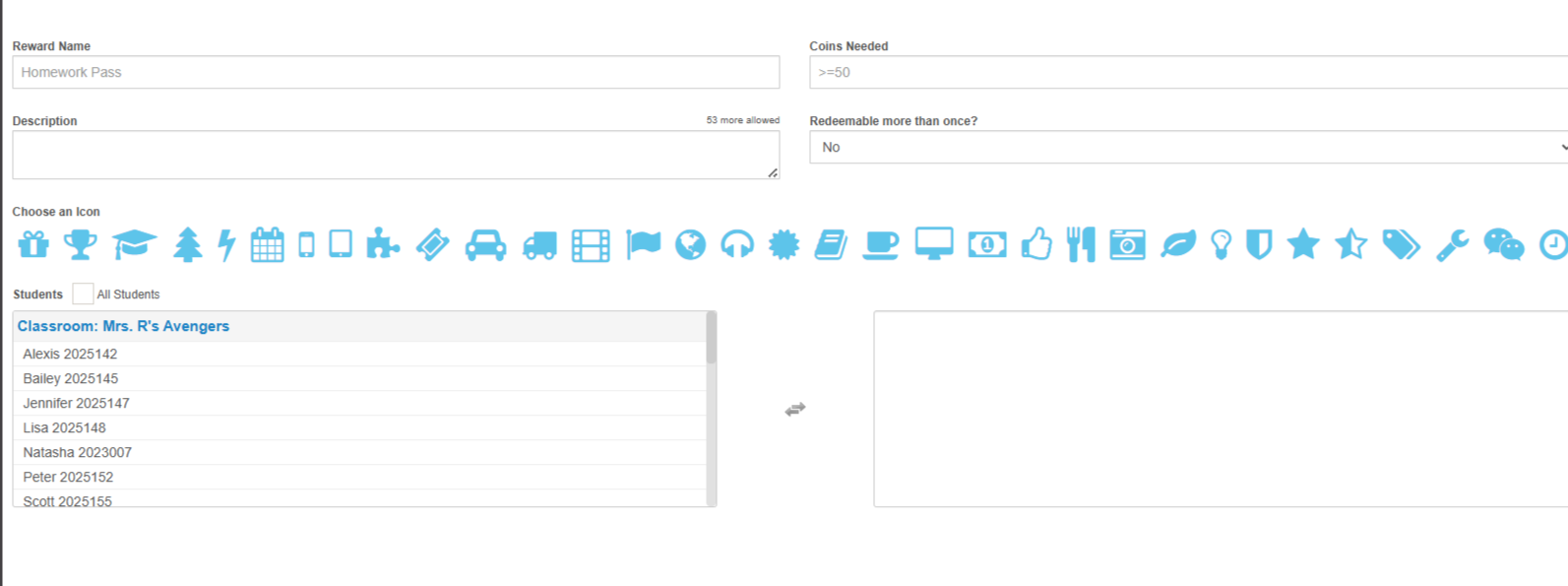
- Set the reward, number of coins needed, description, and if the reward is redeemable more than once. Choose an Icon, select students or an entire classroom, then click Save.
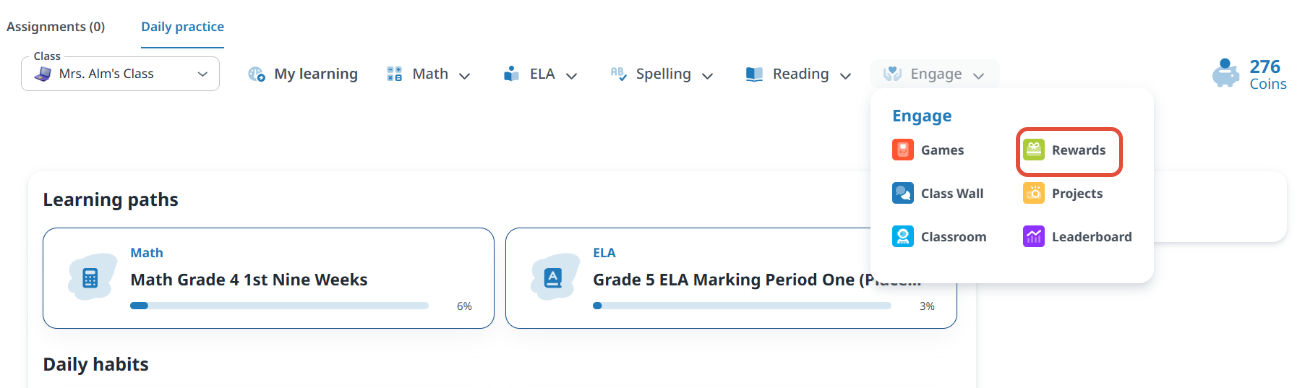
- Students access rewards under Engage at the top navigation bar. This is the view from the student's perspective. If a student doesn't have enough coins, Pathways Learning tells them how much more they need!
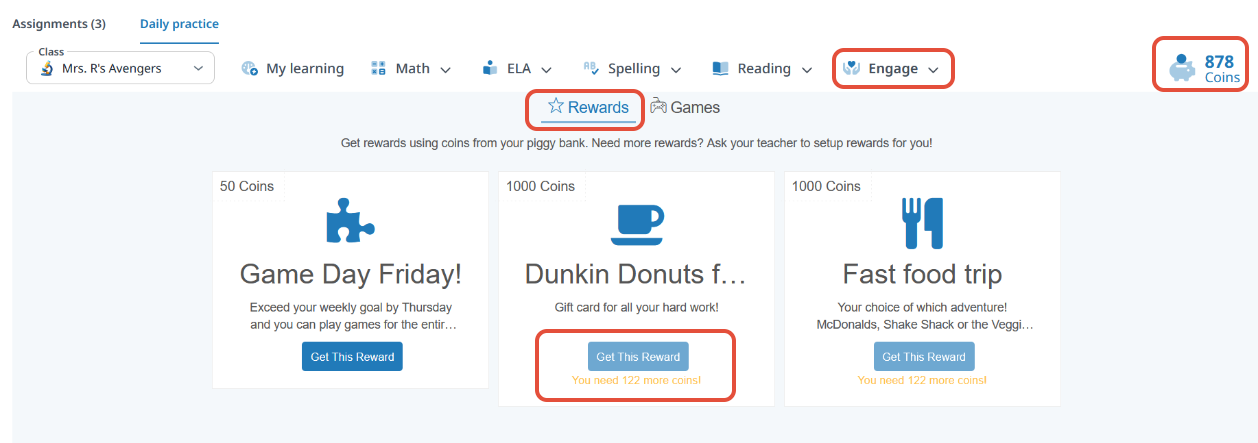
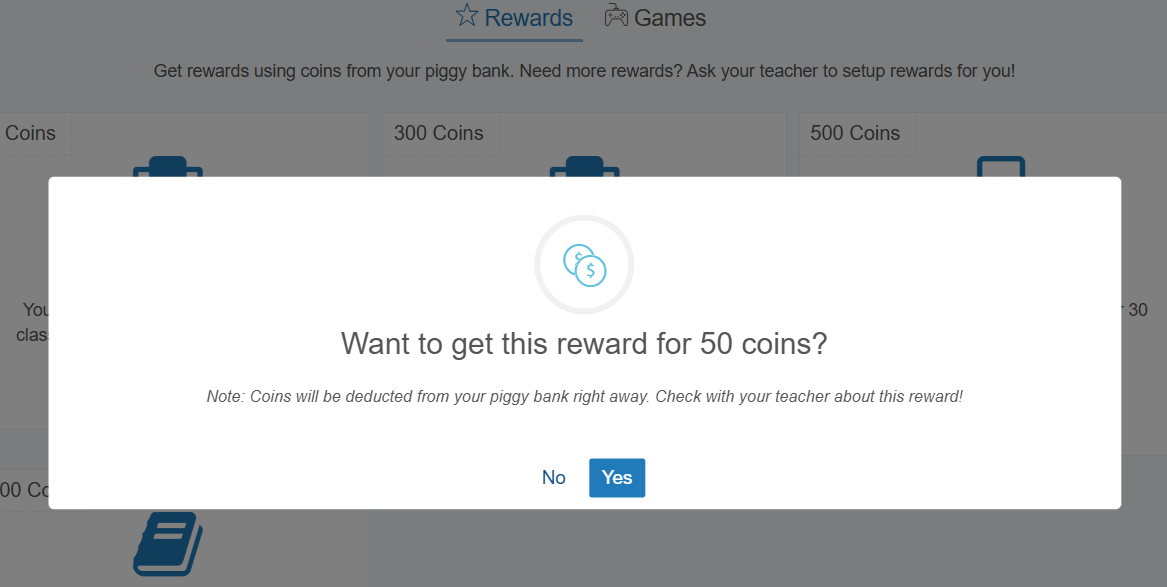
- The student receives a message to confirm that they want to get the reward.
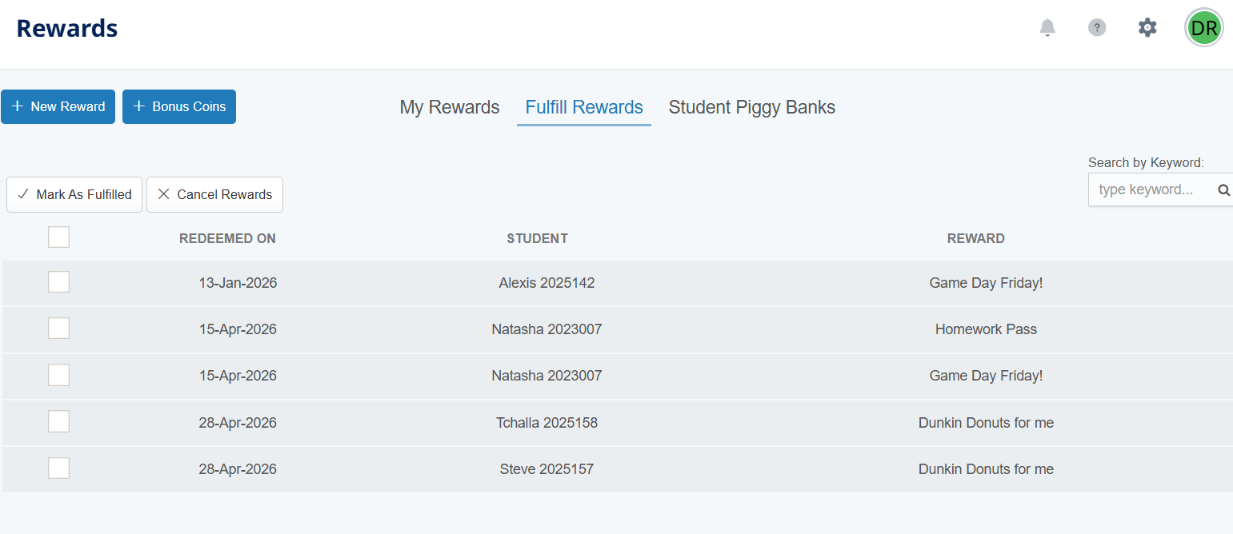
- On the rewards page, teachers can see a list of rewards they need to fulfill.
Related Resources
- Learning Video: User Engagement
- Pathways Learning: The Student Experience
- Pathways Learning: All About Coins
Was this article helpful?
That’s Great!
Thank you for your feedback
Sorry! We couldn't be helpful
Thank you for your feedback
Feedback sent
We appreciate your effort and will try to fix the article