Table of Contents
- FIXED: Ability to View Intervention Monitor on Smaller Screens
- NEW: Ability to View a Rollup of Learning Stats
- IMPROVED: Ability to Search for a Learning Path
- Need help with Pathways Learning?
FIXED: Ability to View Intervention Monitor on Smaller Screens
Thank you for your feedback regarding the difficulty of reviewing intervention recommendations. Our team has resolved the issue, and you can now easily assign concept improvement regardless of your device's screen resolution.
Learn more about effective intervention by registering for the 12/2 webinar. Register here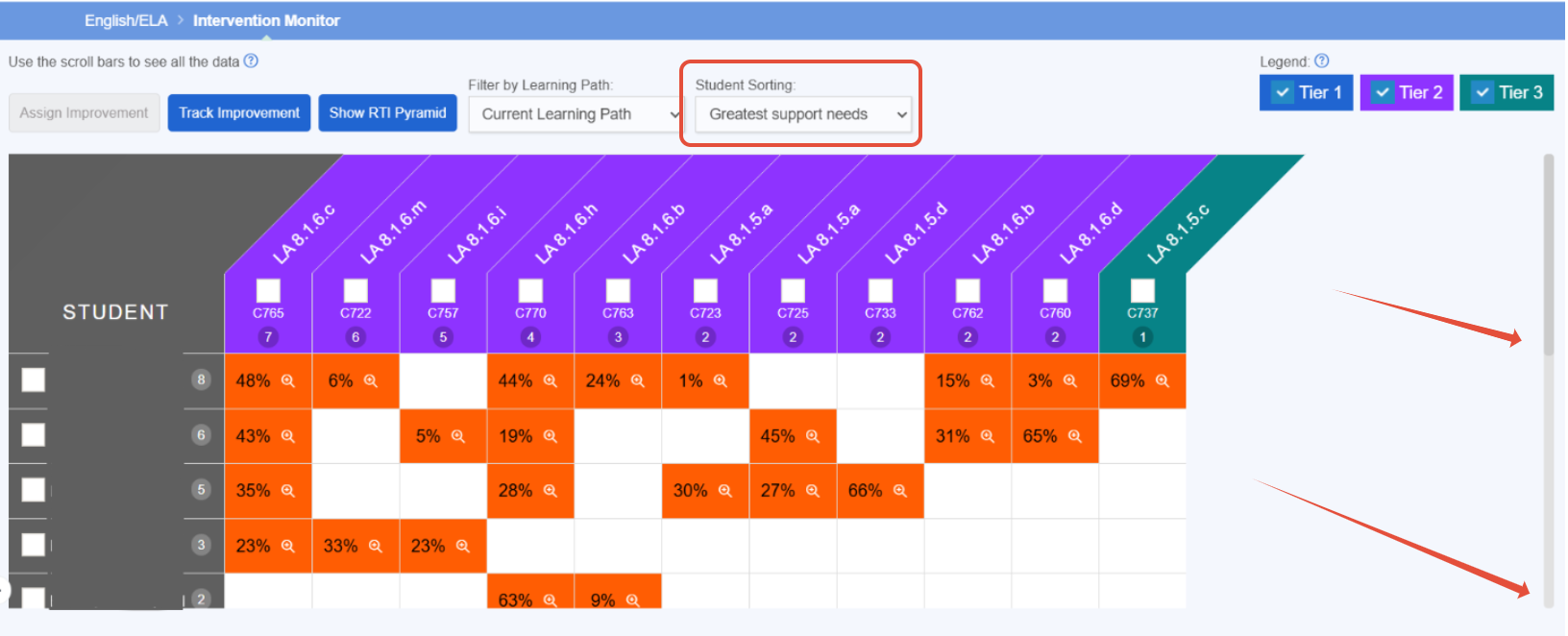
NEW: Ability to View a Rollup of Learning Stats
The new Learning stats report allows you to view student learning metrics across all your classrooms, with filtering options for date range and class. This is a great addition to the Mastery Grid report and the ability to view proficiency by classroom.
Learn more about student insights by registering for the 11/19 webinar. Register here
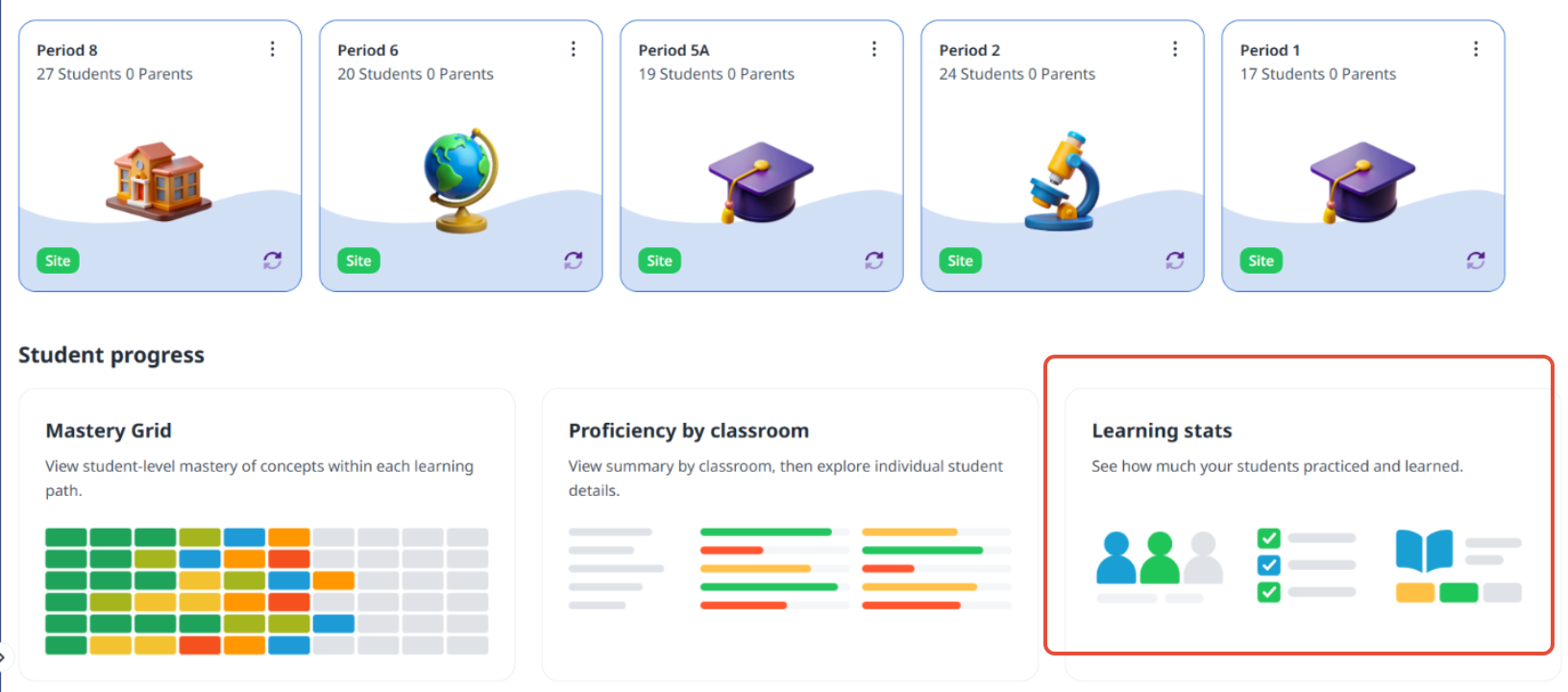
IMPROVED: Ability to Search for a Learning Path
You or a colleague built a path and now you need to locate it. By visiting the Math & ELA tile in the Content Library, you can locate the correct path by selecting all grades or a specific grade under "Shared with my school" or "Shared with my district". Don't forget to star the path so it will appear under your favorites!
Learn more about learning path mastery by registering for the 12/10 webinar. Register here.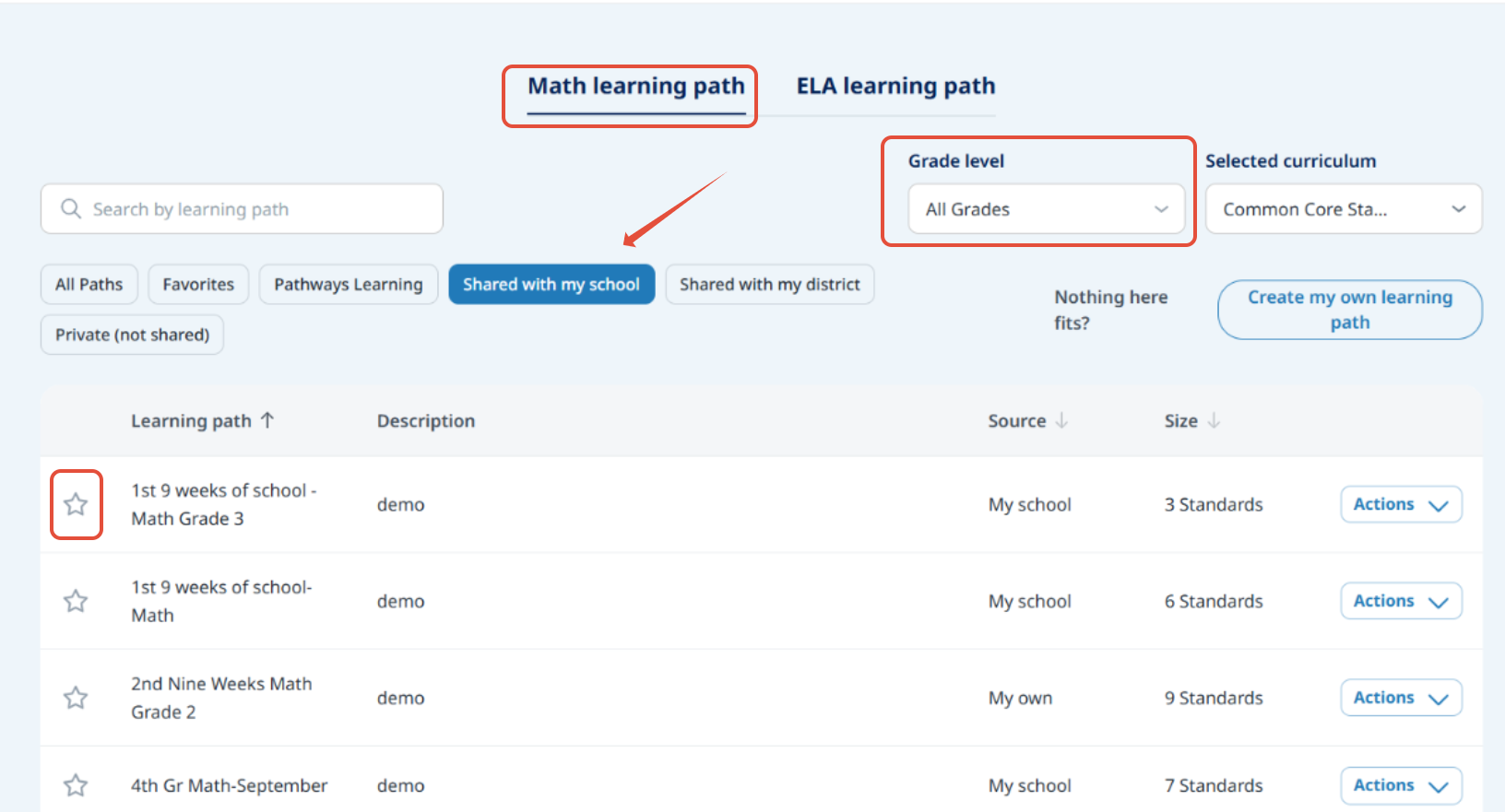
Need help with Pathways Learning?
When you need help, we want you to get assistance as soon as possible.
- Click the question mark in the upper right hand corner and send us a message from within your admin or teacher account.
- Send us an email directly to support-pathways@learningexplorer.com.
- Schedule a 10-minute support call with us! Book it here.

Was this article helpful?
That’s Great!
Thank you for your feedback
Sorry! We couldn't be helpful
Thank you for your feedback
Feedback sent
We appreciate your effort and will try to fix the article