Table of Contents
- Masquerading as a user (Teacher or Student)
- Adding questions to Learning Checks is a time saver
- Extending engagement with new AI Teacher Tools
- Spotlight Teachers and Schools
- Need help?
Masquerading as a user (Teacher or Student)
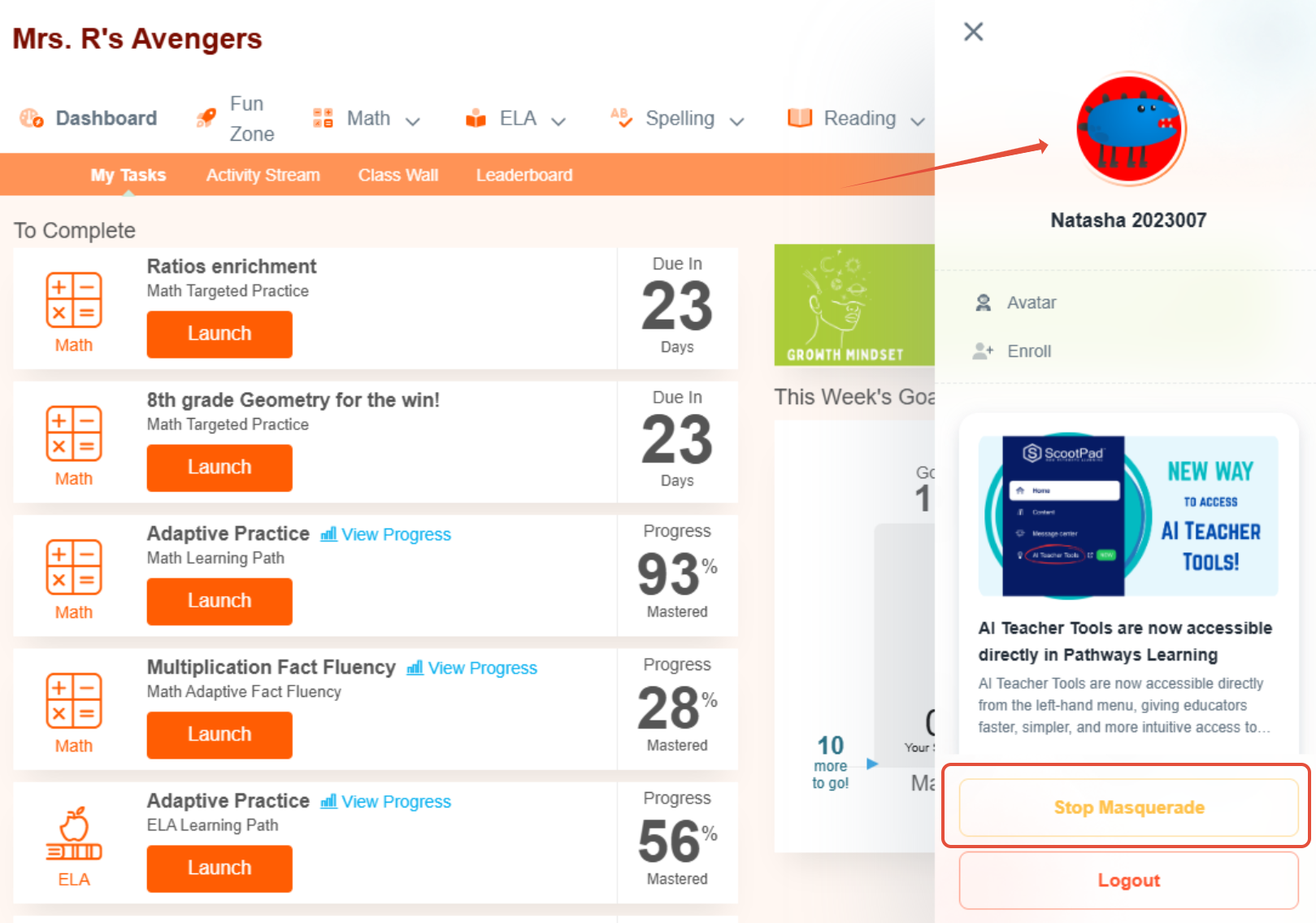
Masquerading as a student- Teachers, you have been asking for a way to see what your students see. Now you can achieve this by masquerading as the student. In the image below, the teacher has signed in from the roster page and is masquerading as Natasha. Read about this process here.
Masquerading as a teacher or student- Admins, from your accounts, navigate to the appropriate user management menu item and then you can masquerade as the user. 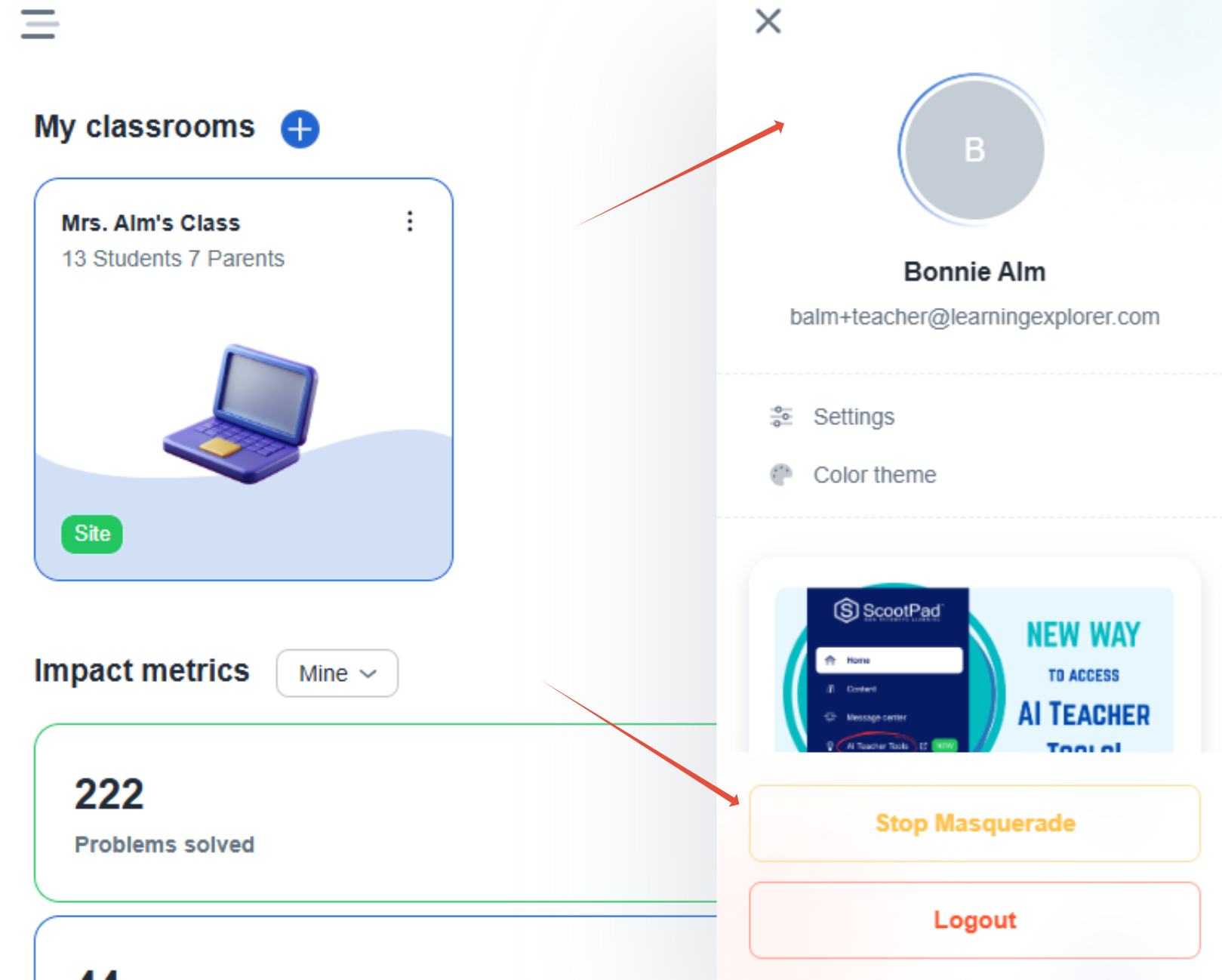
Adding questions to Learning Checks is a time saver
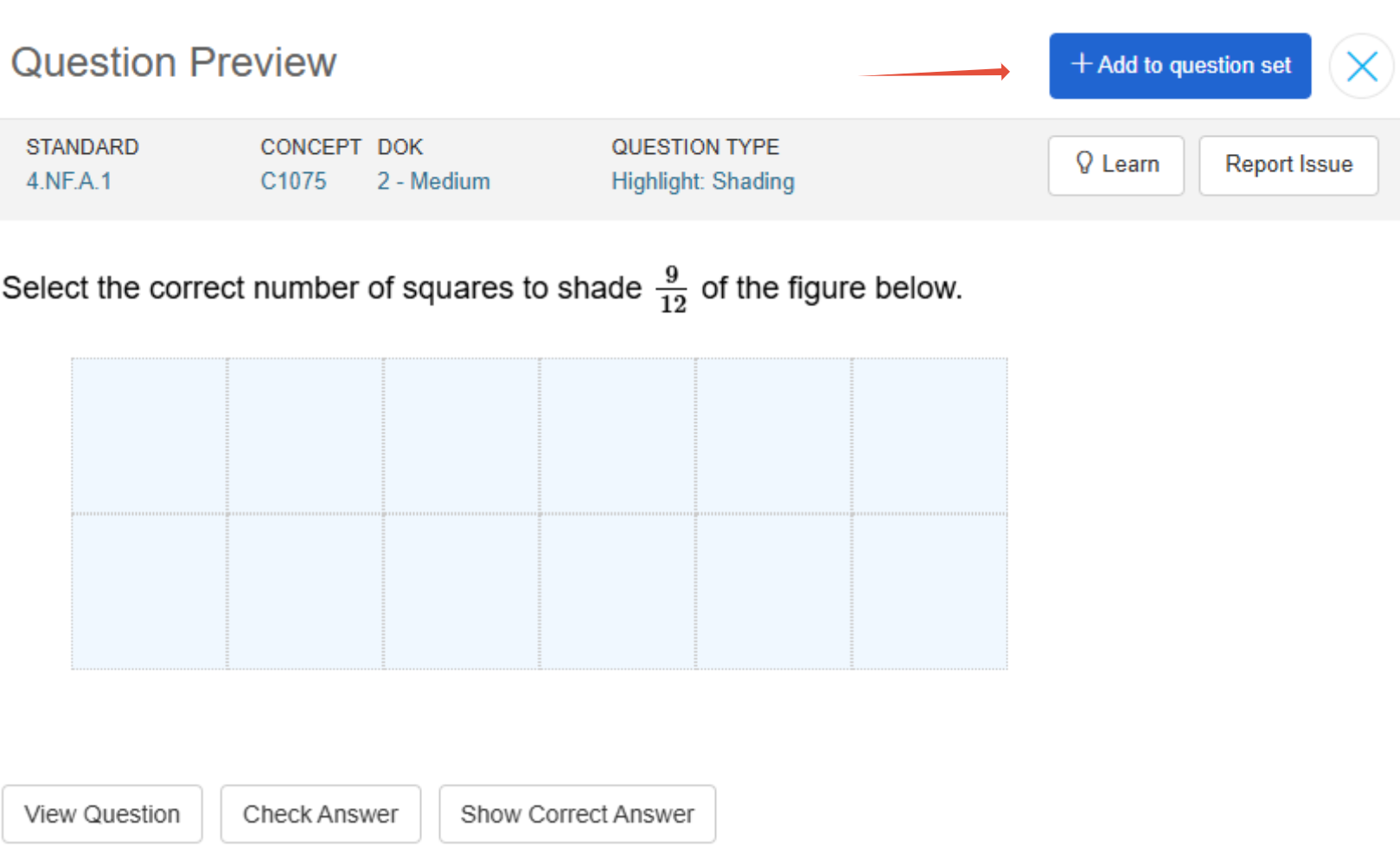
When building Learning Checks, you can add the previewed question directly to the question set without losing your place. Read about Learning Checks here.
Extending engagement with new AI Teacher Tools
We're excited to announce the new AI Teacher Tools! They're super helpful and you can do things like make worksheets, create newsletters, and write paragraphs – all with just a few clicks! Check out the links below to see what they can do, and we'll be adding even more stuff soon. Give them a try and let us know what you think!
- Story-Based Math Challenges + 3 more (Literacy Tab)
- Group Work Creator + 3 more (Engagement Tab)
- Worksheet Generator + 3 more (Evaluation Tab)
Spotlight Teachers and Schools
There are power users all over Pathways Learning and we love to share their stories. Read below for some inspiration!
- National Park Elementary School, NJ
- Shell Creek Elementary School, NE
- Winona-Montgomery Elementary School, MS
- Central Elementary School, NE
Need help?
When you need help we want you to get assistance as soon as possible. Therefore, as our team grows, we will be centralizing all communication and providing many ways of connecting with us. See below for details.
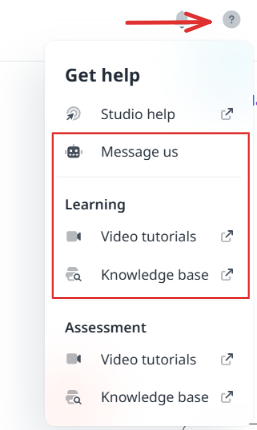
- Click the question mark in the upper right hand corner and send us a message from within your admin or teacher account.
- Send us an email directly to support-pathways@learningexplorer.com.
- Schedule a 10-20 minute call with us during Office Hours! Book it here.
Was this newsletter helpful? Let us know by selecting the happy face! If not, reply and tell us what we can do better to serve you!
Was this article helpful?
That’s Great!
Thank you for your feedback
Sorry! We couldn't be helpful
Thank you for your feedback
Feedback sent
We appreciate your effort and will try to fix the article