Table of Contents
- Visualizing Student Mastery: Adaptive Practice Data
- Visualizing Student Growth: Learning Check Data
- Visualizing Student History: All Activity
- Classroom Stories
- Need help with Pathways Learning?
Visualizing Student Mastery: Adaptive Practice Data
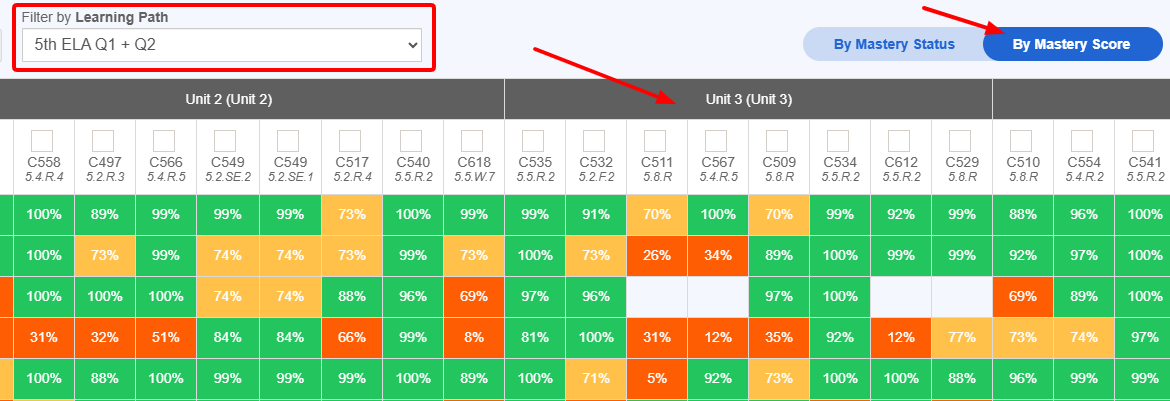
The end goal for your students is for each concept in their Learning Paths to reach the "Mastered" state. You can rest assured that if students have passed the Mastery Check, those concepts are now 90% or better. Practice leads to mastery and mastery leads to better outcomes. The best report to visualize student mastery in every concept in the path is the Mastery Grid. Use the slider to toggle between the mastery status view and the mastery score view. Hovering over each cell allows you to see all of the questions a student answered that led to the score. Check it out!
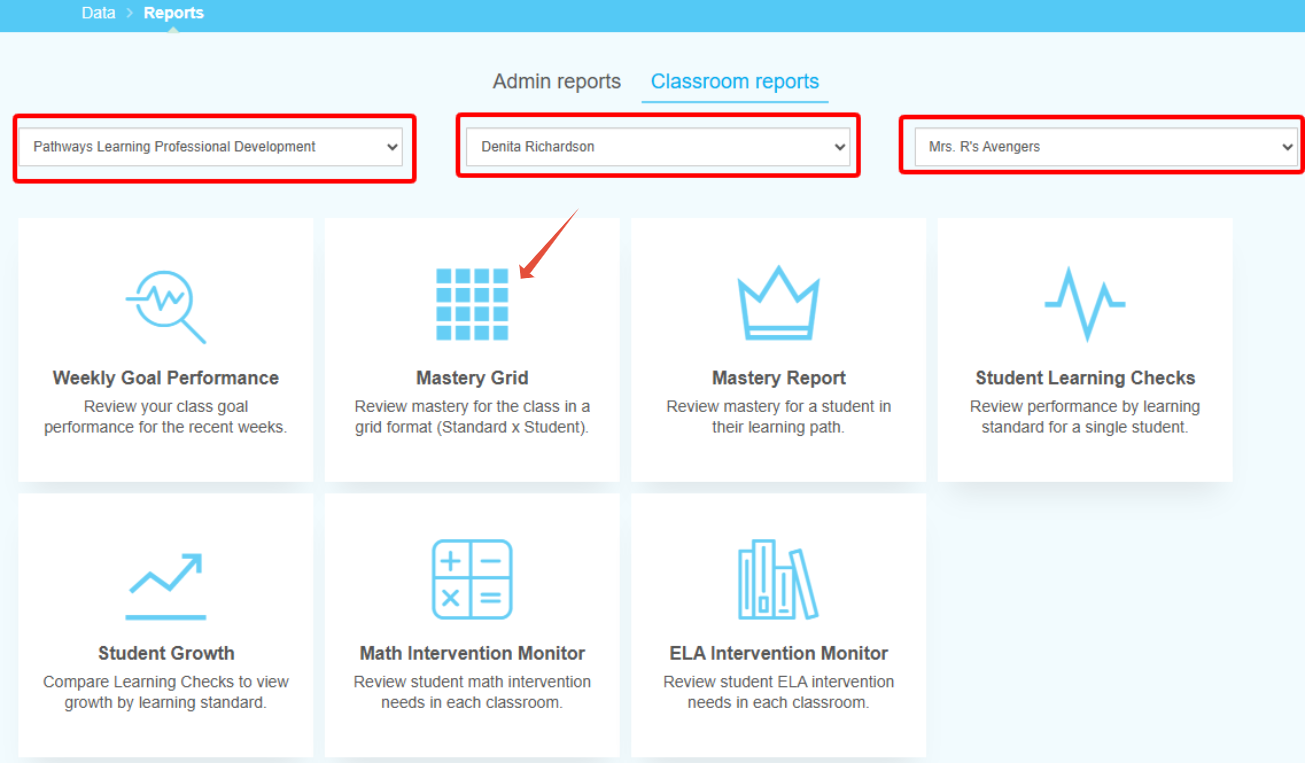
Administrators, you also have access to see classroom data in the grid by navigating to classroom reports and selecting a specific school (district administrator), teacher and classroom.
Visualizing Student Growth: Learning Check Data
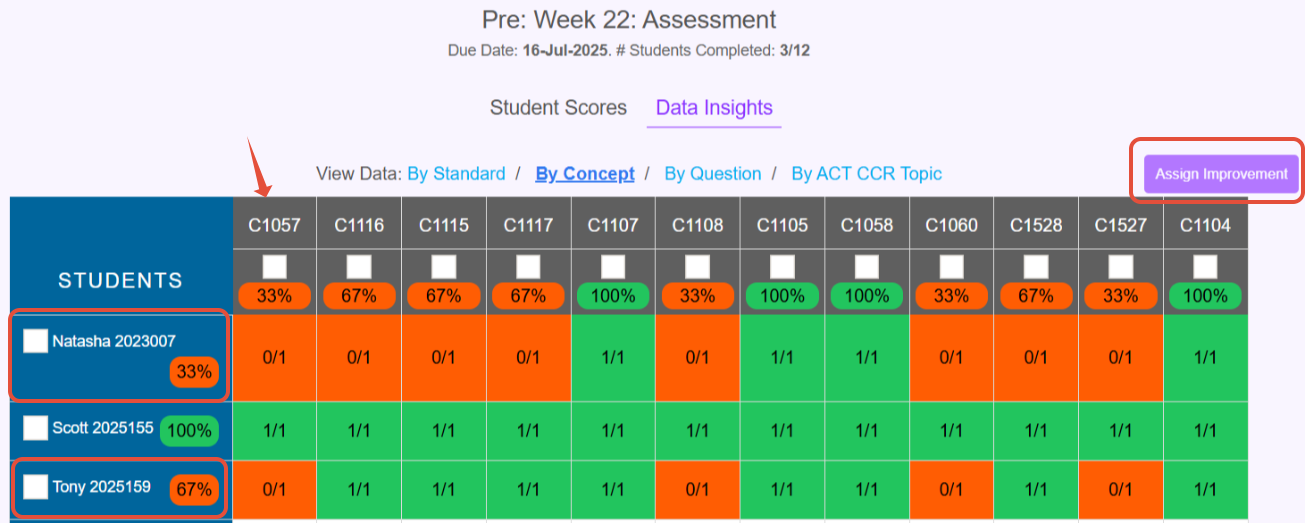
A Learning Check is a powerful tool to understand where students are in the moment. Users can build Learning Checks and focus on specific DOK levels or question types.

After the pre-test, review the Learning Check to see which students need concept improvement assignments, or additional practice.
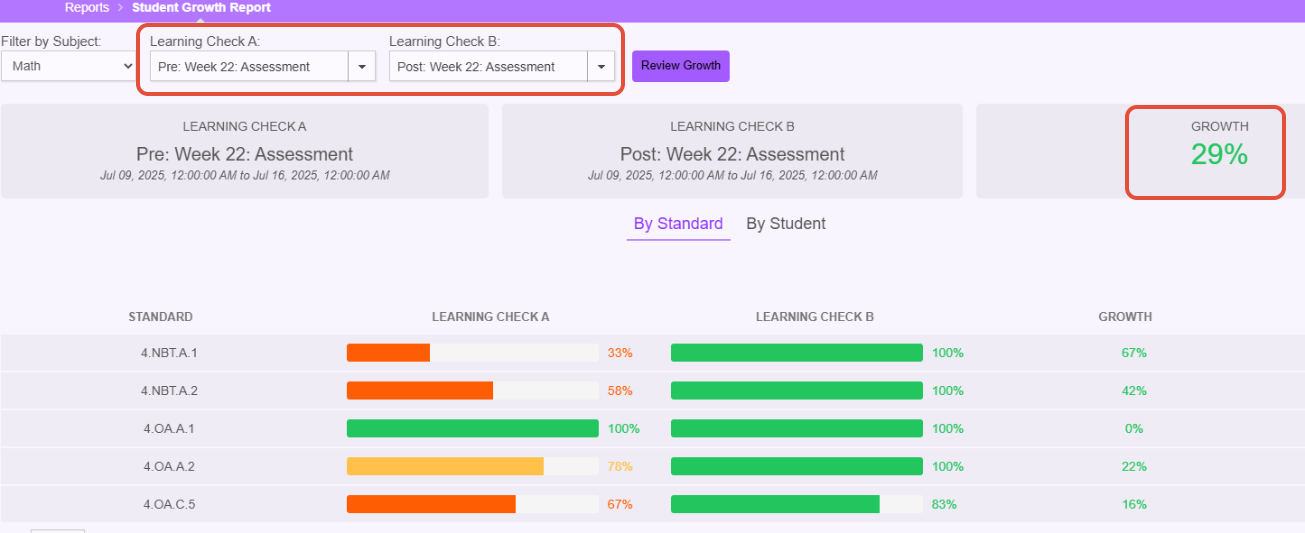
After the post test, run the Student Growth report and visualize growth across standard and student.
Visualizing Student History: All Activity
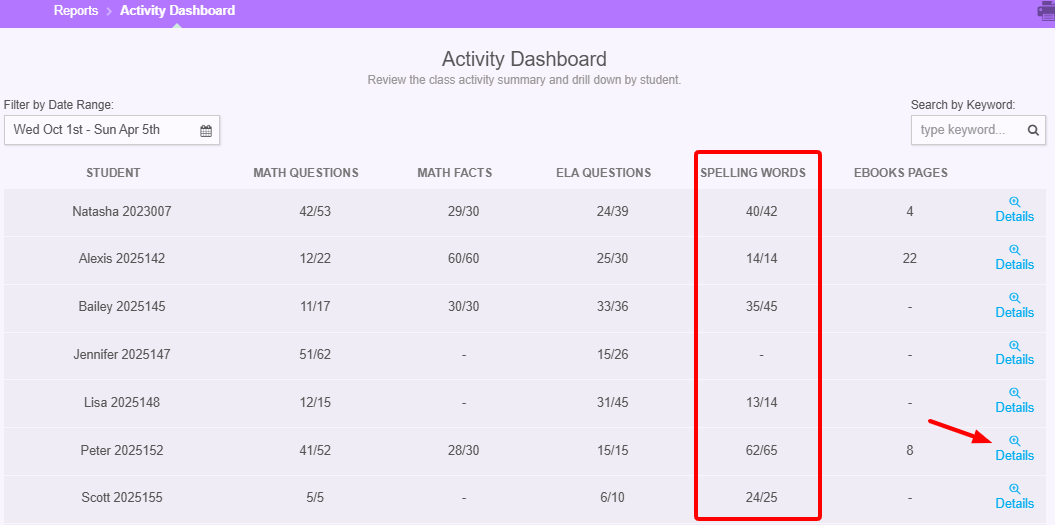
The Activity Dashboard is a treasure trove of information. Teachers can see all activity from both a chronological and type of task perspective. We guarantee that you will learn something new and intriguing today!
This is a view of the dashboard showing all activity for a specific timeframe. In the image, the teacher is specifically focusing on reviewing Spelling activity.
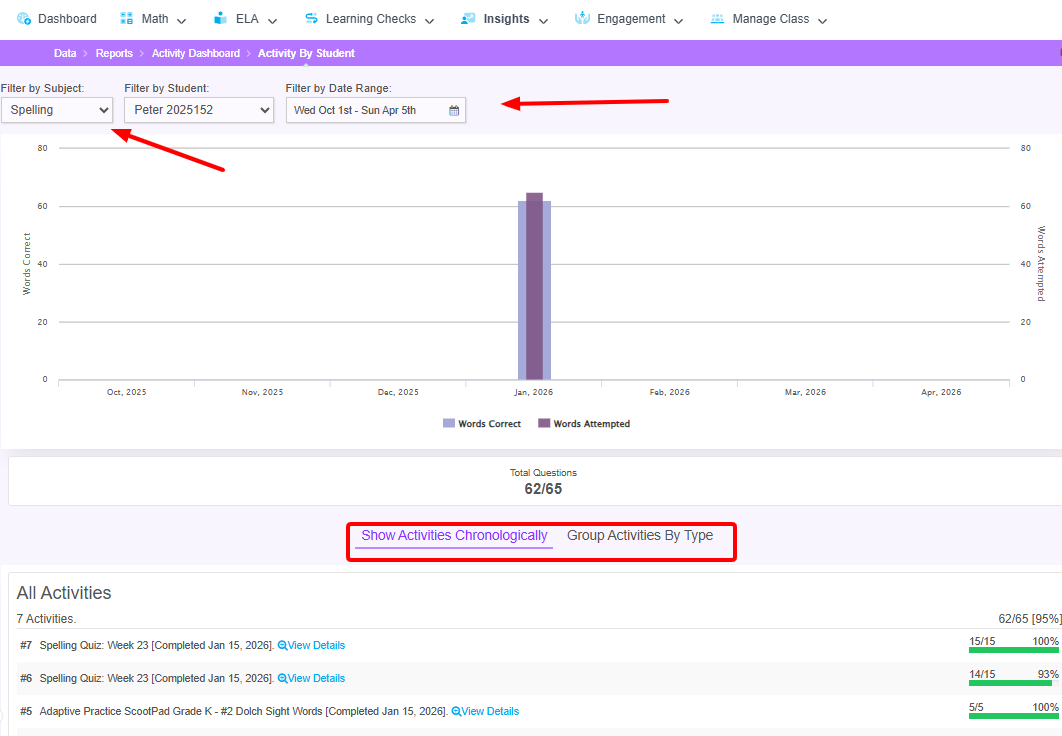
Upon clicking details and filtering by subject, the top of the report shows a bar chart of activity and the bottom of the report shows a list. In the image, the teacher can see that all Spelling activities for the student happened in January and see the details of the task if necessary.
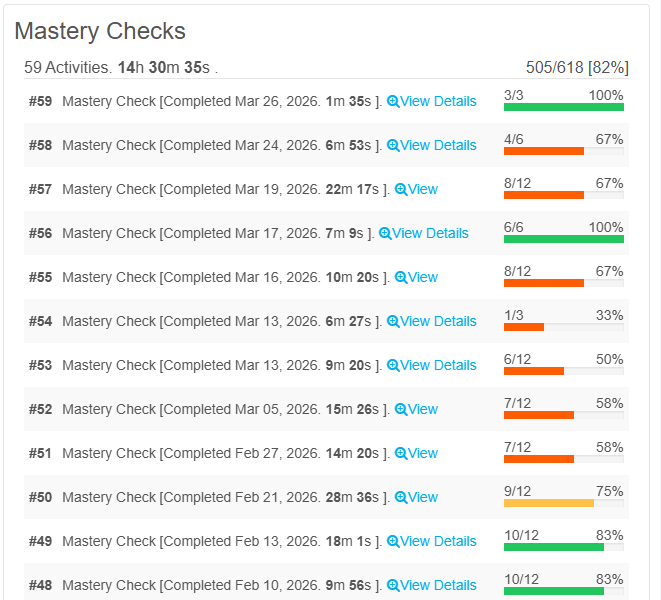
Have you ever wondered about the Mastery Checks your students have received? Filter the activity report by subject, select Math or ELA and then toggle to activities by type. In the image, the student has had 59 attempts to show complete understanding of the concepts in the Learning Path. Way to go!
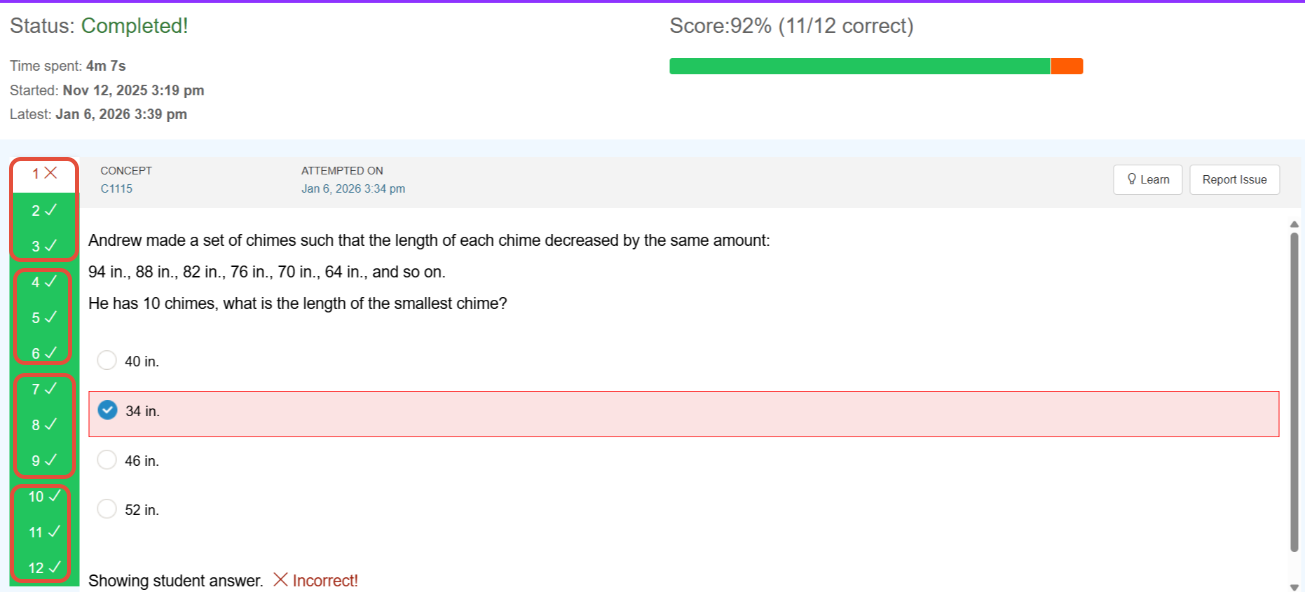
When viewing details, the results of the Mastery Check comes into focus. Every three questions = 1 concept. All three questions in the concept group must be answered correctly in order for the concept to be considered mastered. In the image, the first concept was placed back into rotation for the student to practice but the last three concepts were marked as mastered.
Classroom Stories
Have you seen success using Pathways Learning? We'd love to hear about it! Simply send us an email to support-pathways@learningexplorer.com with the subject line "My Classroom Success Story." We will be compiling each of these and sharing them with the community.
Need help with Pathways Learning?
When you need help, we want you to get assistance as soon as possible.
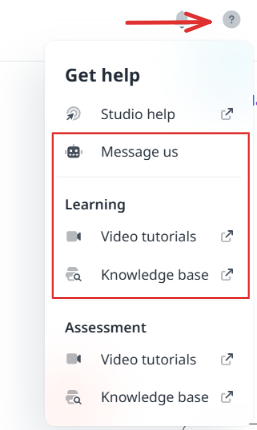
- Click the question mark in the upper right hand corner and send us a message from within your admin or teacher account.
- Send us an email directly to support-pathways@learningexplorer.com.
- Schedule a 10-20 minute call with us during Office Hours! Book it here.
Was this newsletter helpful? Let us know by selecting the happy face! If not, reply and tell us what we can do better to serve you!
Was this article helpful?
That’s Great!
Thank you for your feedback
Sorry! We couldn't be helpful
Thank you for your feedback
Feedback sent
We appreciate your effort and will try to fix the article