Overview
In this article, we will provide an overview of the reports and dashboards that give teachers access to student practice (proficiency) data. Please use the table of contents below to navigate to specific sections for more detailed information.
Table of Contents
- Navigating the Report Library
- The Activity Dashboard
- Weekly Goal Performance
- Proficiency Dashboard
- Proficiency By Grade
- Proficiency By Domain
- Proficiency By Standard
- The Mastery Grid
- The Mastery Report
- Related Resources
Navigating the Report Library
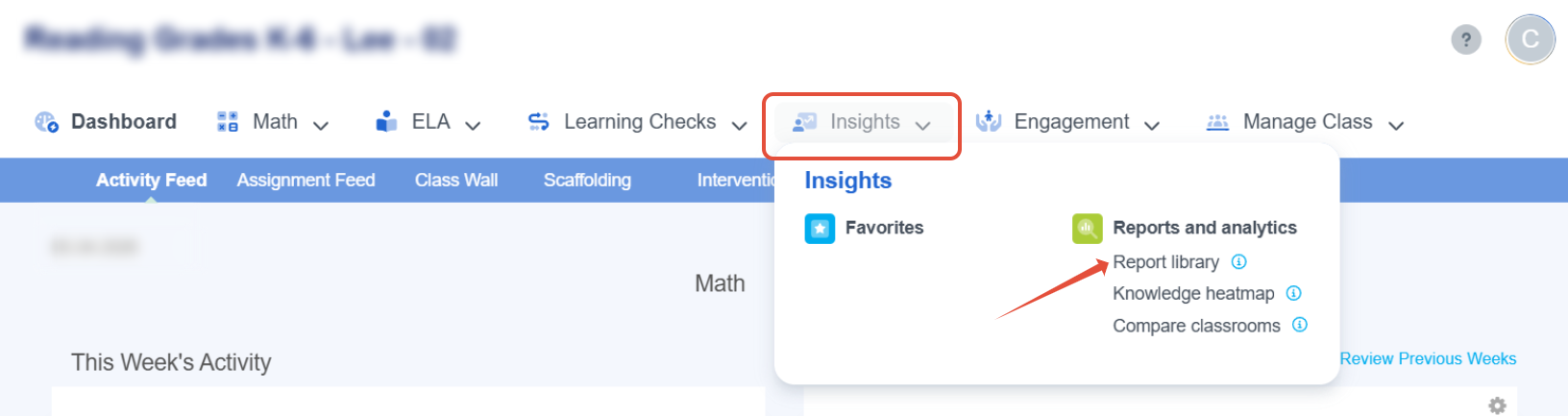
On your teacher home page launch your classroom and then in the top navigation bar under Insights, click Report Library.
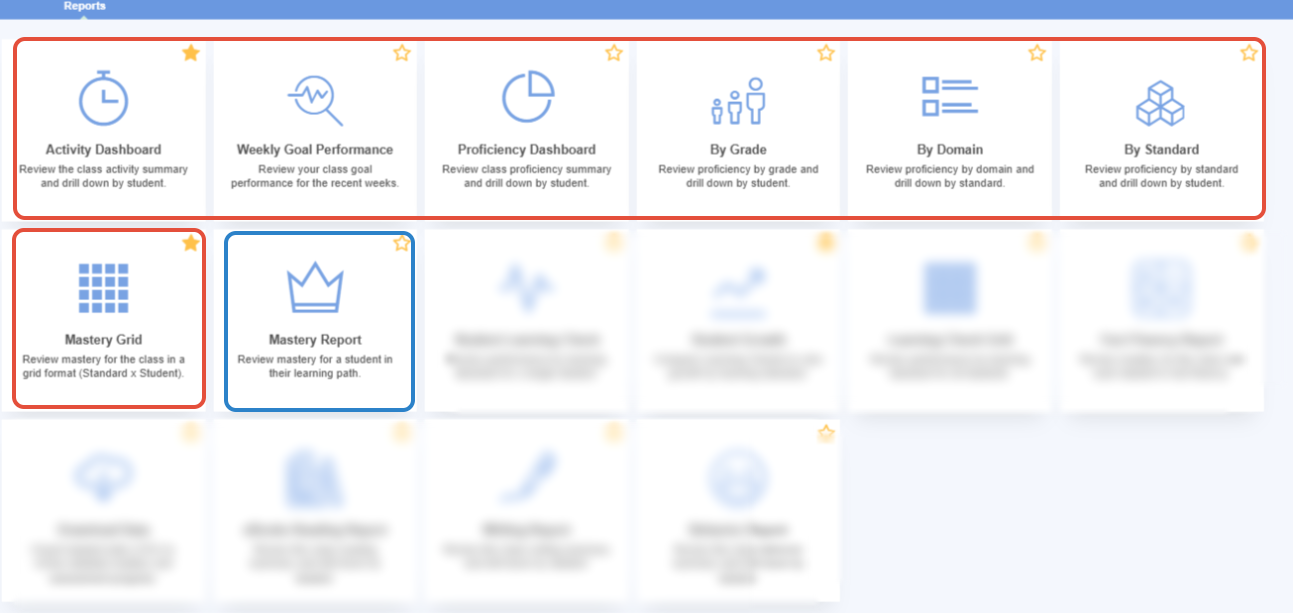
On the Reports Page, there are seven reports or dashboards that display practice data for the classroom (red) and for the student (blue). Click the star to save reports to your Favorites.
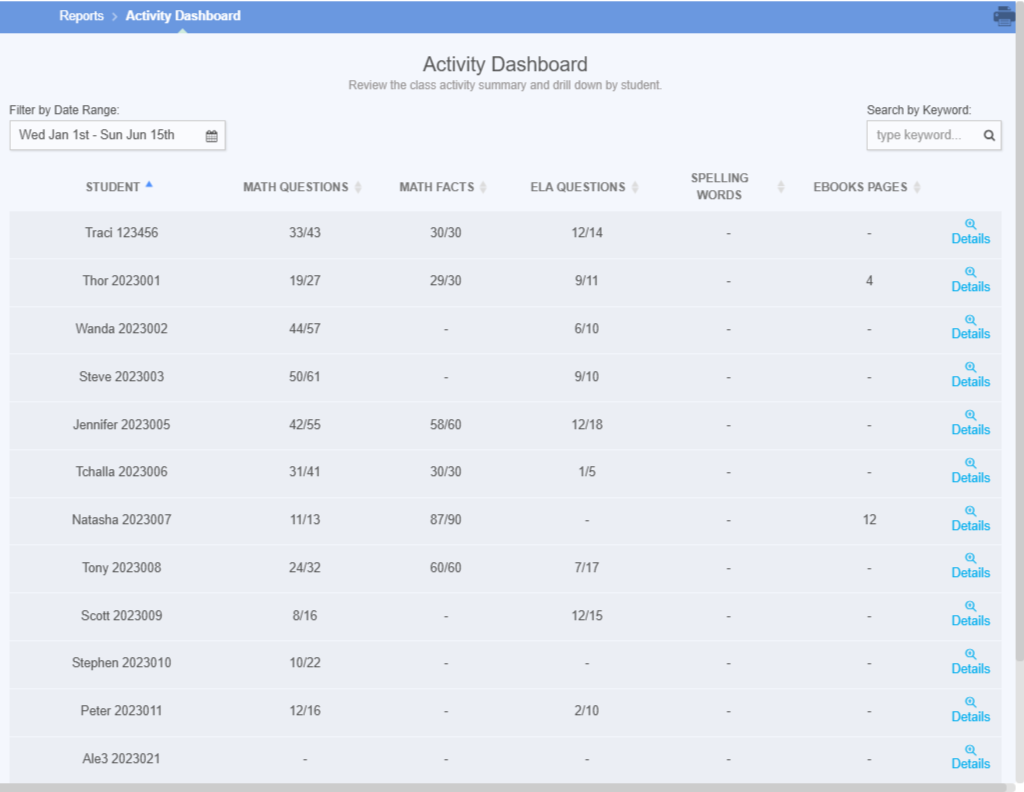
The Activity Dashboard
Report Scope: Classroom
Content: Fact Fluency, Math and ELA Adaptive and Targeted Practice, Math and ELA Learning Checks, Spelling words, and eBook pages read.
Details: Use this report when you want to see general student activity across the main Pathways Learning content areas of Fact Fluency, Math, ELA, Spelling and eBooks.
Printing: Not recommended
Example: This is a good report when wanting total activity for a specified period of time. This does not provide proficiency status.
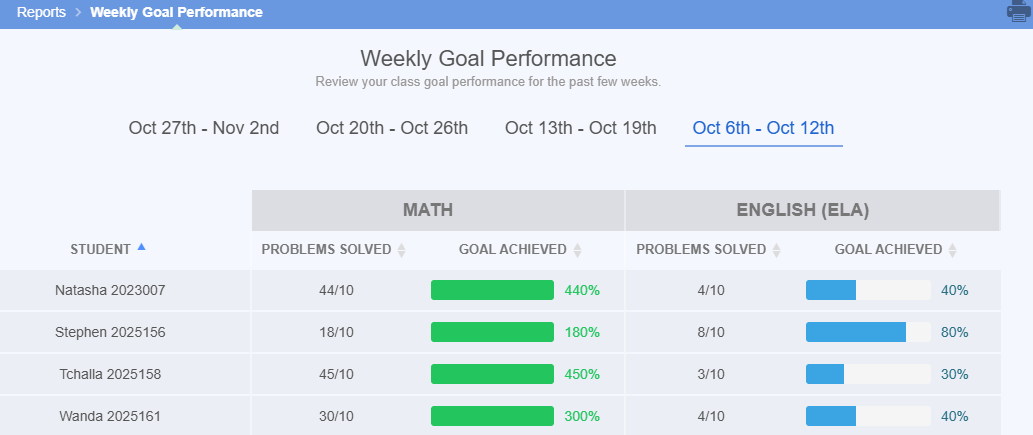
Weekly Goal Performance
Report Scope: Classroom
Content: Fact Fluency, Math and ELA Adaptive and Targeted Practice, Math and ELA Learning Checks
Details: Use this report to see the past four weeks of Math and ELA goal performance.
Printing: Not recommended
Example: This is a good view to understand how well the class has performed relative to the goal for the past four weeks.
Proficiency Dashboard
Report Scope: Classroom
Content: Math and ELA Adaptive and Targeted Practice
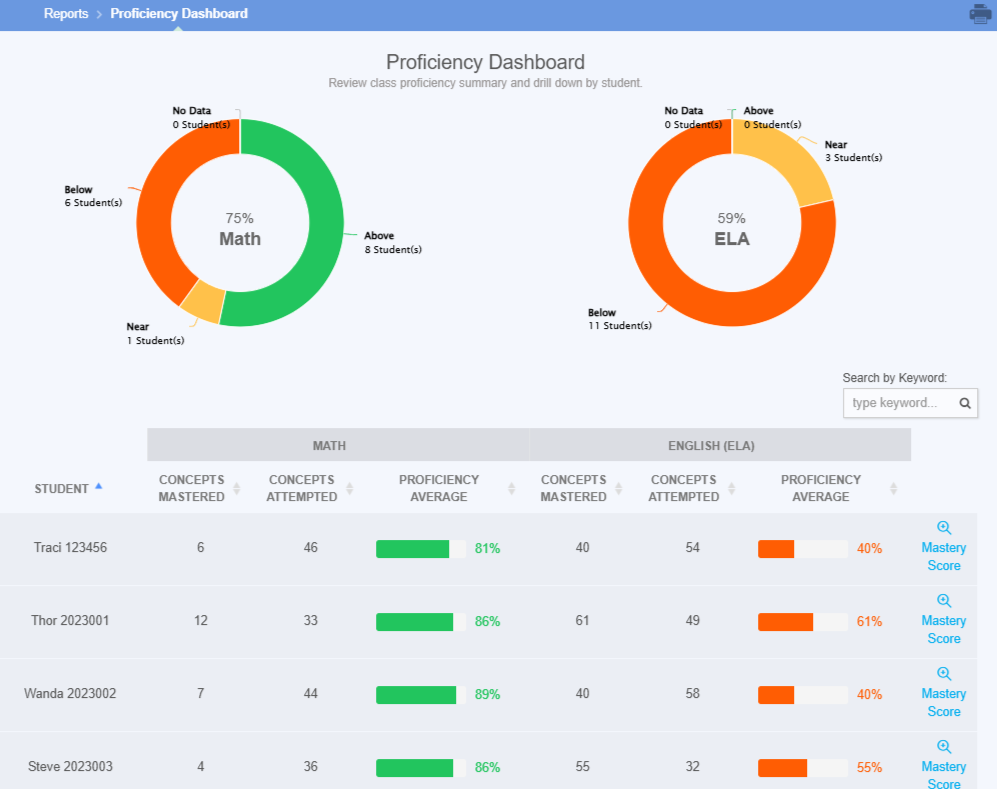
Details: Use this report to see overall proficiency in Math and ELA across all practiced concepts.
Printing: Not recommended
Example: The teacher uses this dashboard to see how many students are above, below, or at proficiency. This is 80% as a default unless it has been changed.
Proficiency By Grade
Report Scope: Classroom
Content: Math and ELA Adaptive and Targeted Practice
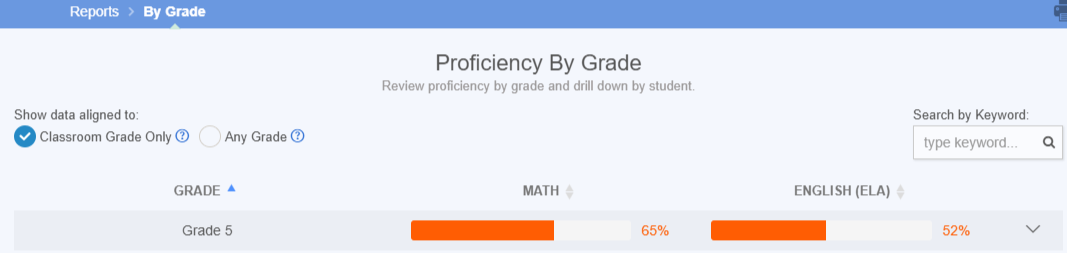
Details: Use this report to review student proficiency aligned to your classroom grade or within other grade levels that students have worked in.
Printing: Not recommended
Example: If Sam is in 5th grade, the teacher can see his progress across 5th grade concepts. Changing the radio button to Any grade" allows the teacher to see Sam's proficiency in lower and high level concepts as they have been assigned.
Proficiency By Domain
Report Scope: Classroom
Content: Math and ELA Adaptive and Targeted Practice
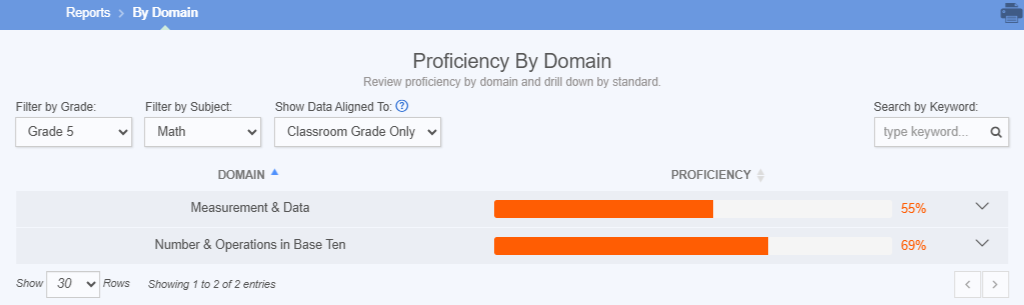
Details: Use this report to review student proficiency by domain.
Printing: Not recommended
Example: The teacher has been assigning several practice sessions in a domain. Reviewing this report displays the average across all standards in the domain and allows you to drill down by student.
Proficiency By Standard
Report Scope: Classroom
Content: Math and ELA Adaptive and Targeted Practice, Math and ELA Learning Checks
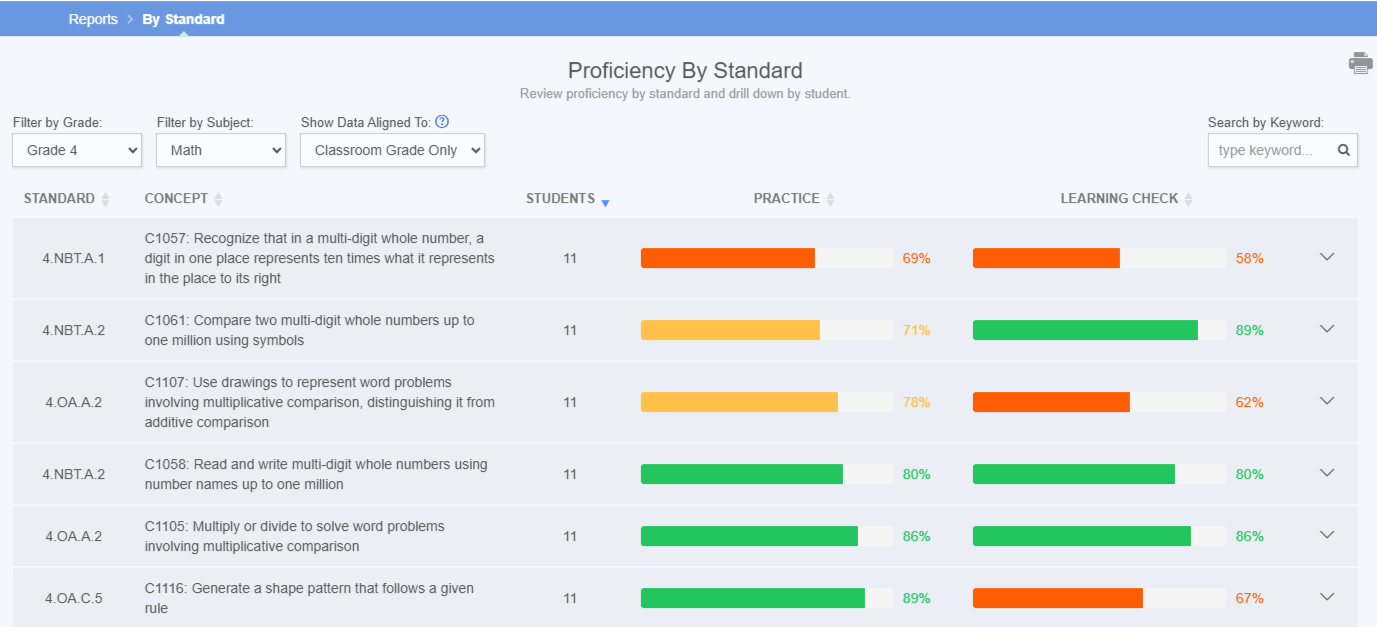
Details: Use this report to review proficiency by standard in both practice and Learning Checks side by side.
Printing: Not recommended
Example: Students complete practice at home and Learning Checks in school. This report allows you to compare the scores side by side.
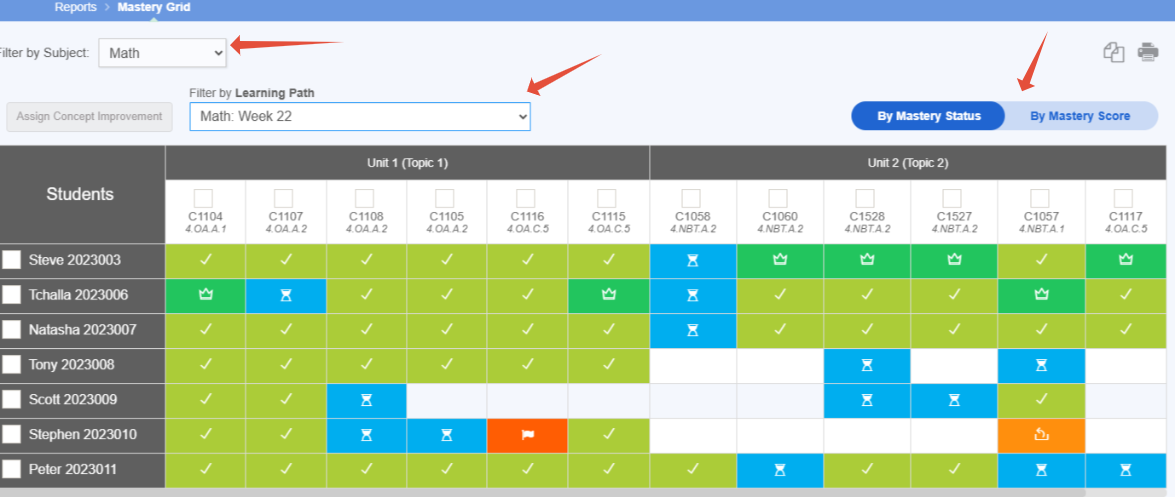
The Mastery Grid
Report Scope: Classroom
Content: Math and ELA Adaptive Practice
Details: Use this report to view Learning Path data in both the mastery status and mastery score. This view allows the teacher to also assign concept improvement to students with red flags.
Printing: Not recommended, but can be copied into Sheets or Excel
Example: The teacher uses this view to get a high level overview of all students and can quickly assign a Targeted Practice to help students move towards mastery.
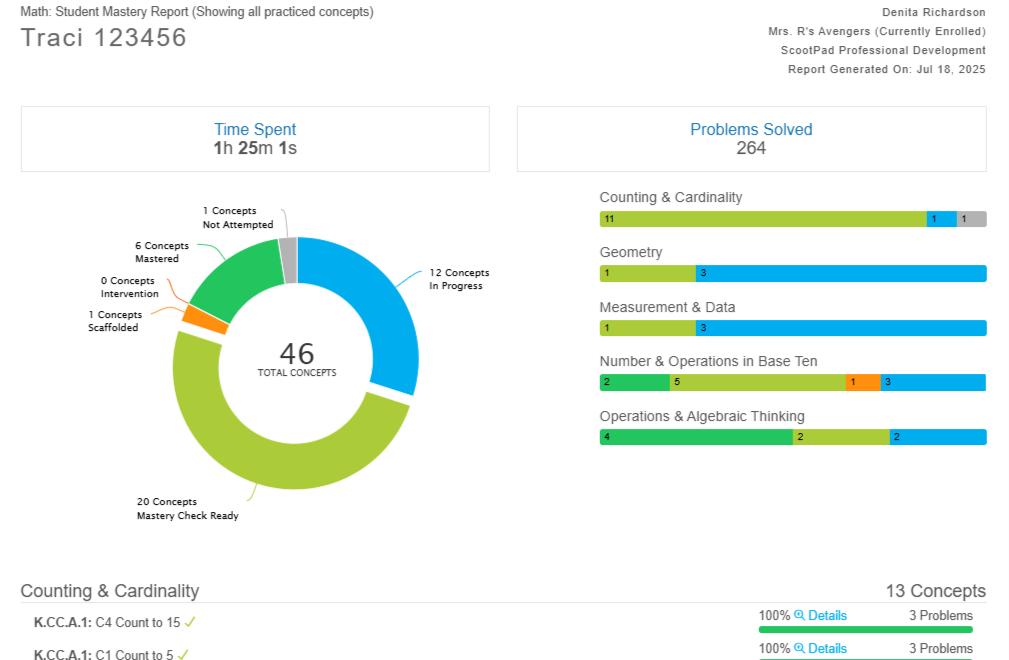
The Mastery Report
Content: Math and ELA Adaptive and Targeted Practice
Report Scope: Individual student
Details: Use this report to access an individual student's mastery in all practiced concepts.
Printing: Recommended
Example: This can be printed (sent as a PDF) and sent home to provide an overview on how the student has performed on all concepts. There is also an option to view performance by current Learning Path or all Learning Paths.
Related Resources
- Learning Video: Report Library for Teachers
- Learning Adaptive Series Part 5: Mastery Checks
- Learning Adaptive Series Part 6: Visualizing Student Success
Was this article helpful?
That’s Great!
Thank you for your feedback
Sorry! We couldn't be helpful
Thank you for your feedback
Feedback sent
We appreciate your effort and will try to fix the article