Overview
This article walks district and school administrators through how to add and manage student enrollment manually (Note: If the account is rostered through Clever or ClassLink, students are managed in the district's Student Information System).
Steps to Follow
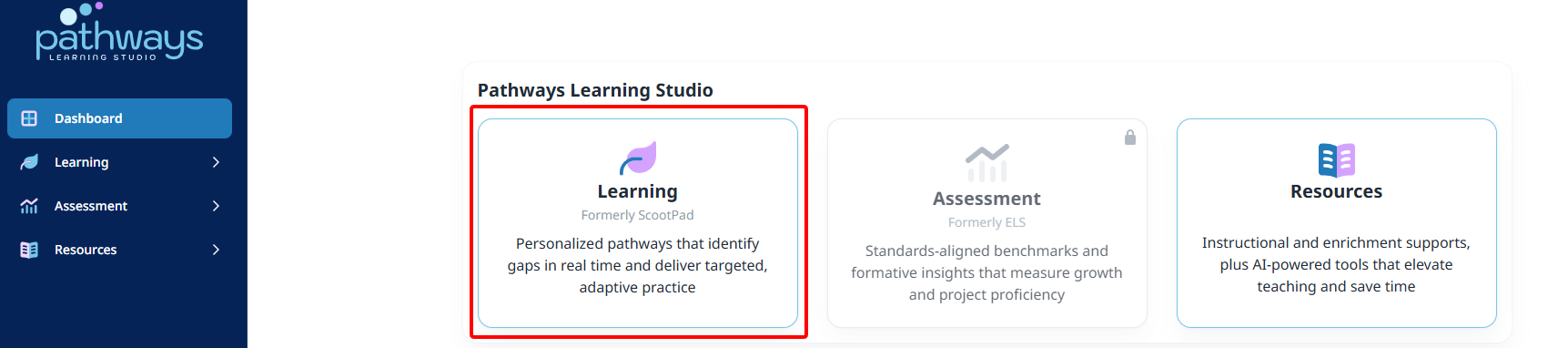
- Launch the Learning module from the dashboard and then select your school or district.
- After you launch your school or district, click on Manage school/district and select Manage enrollment.
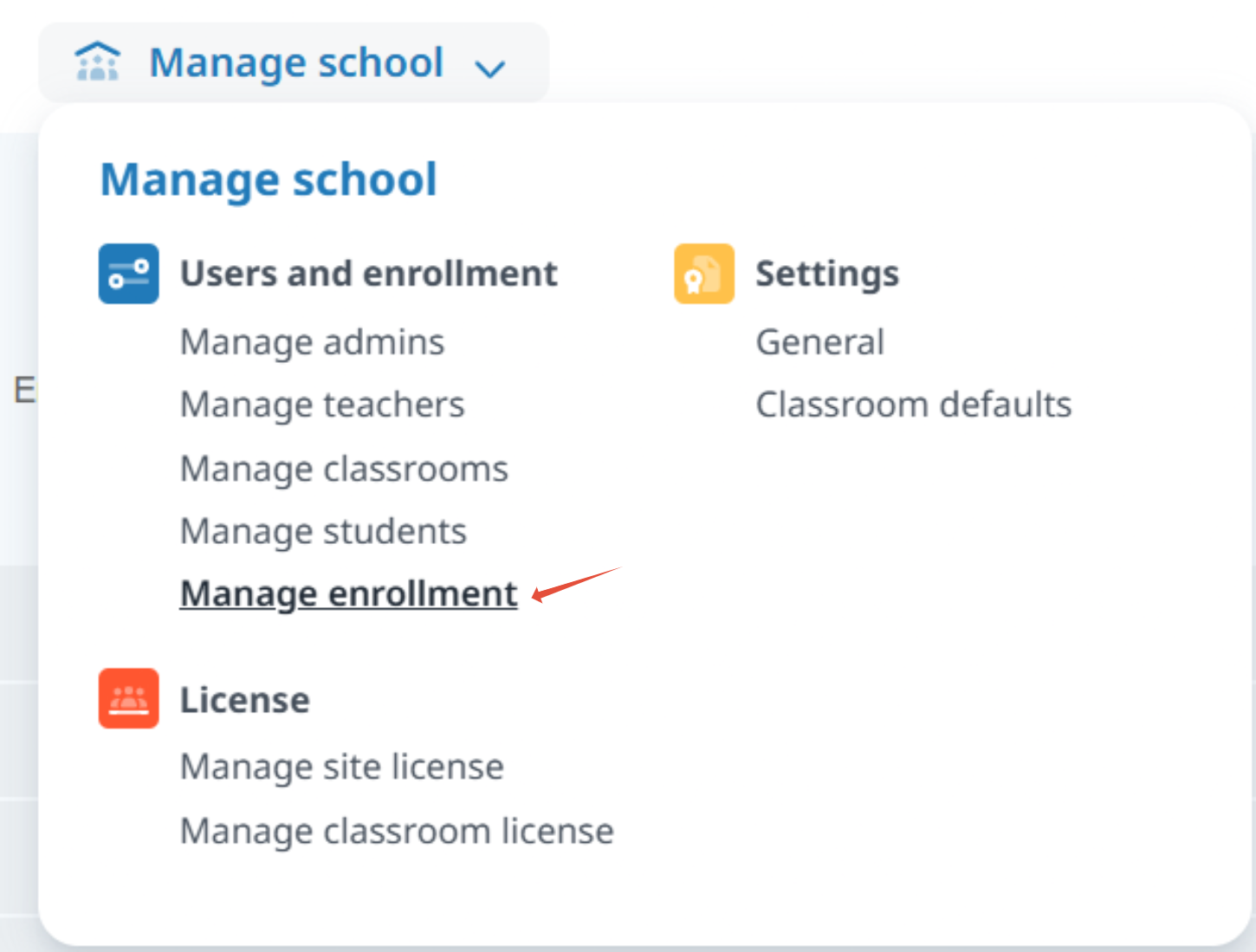 Note: If you are a district administrator, you will need to sign in as the school administrator by clicking on Manage Enrollment from the Choose a page... drop-down of the school where you are enrolling students.
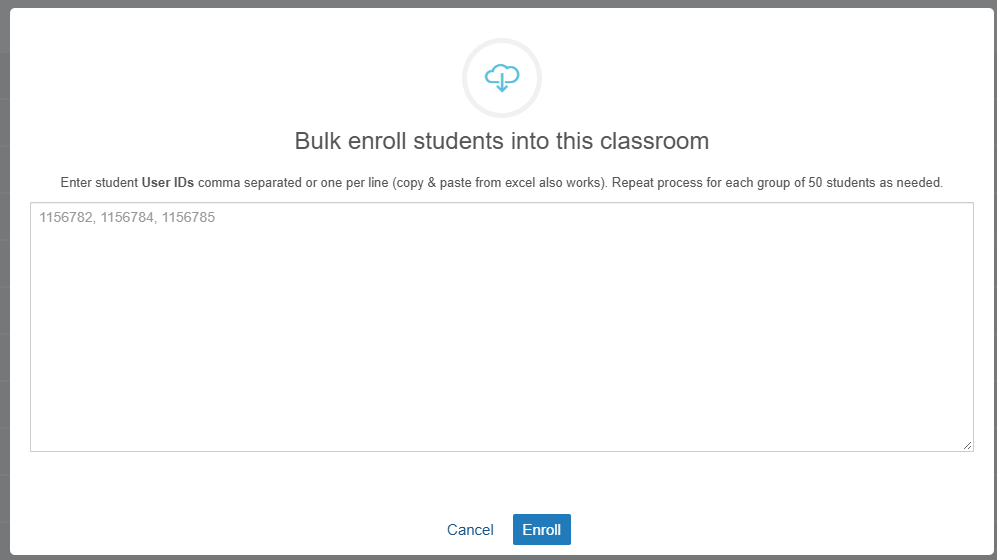
- Once you are in the Manage Enrollment view, choose the classroom where you want to add students and then click on either the Enroll or Bulk Enroll button to the right.
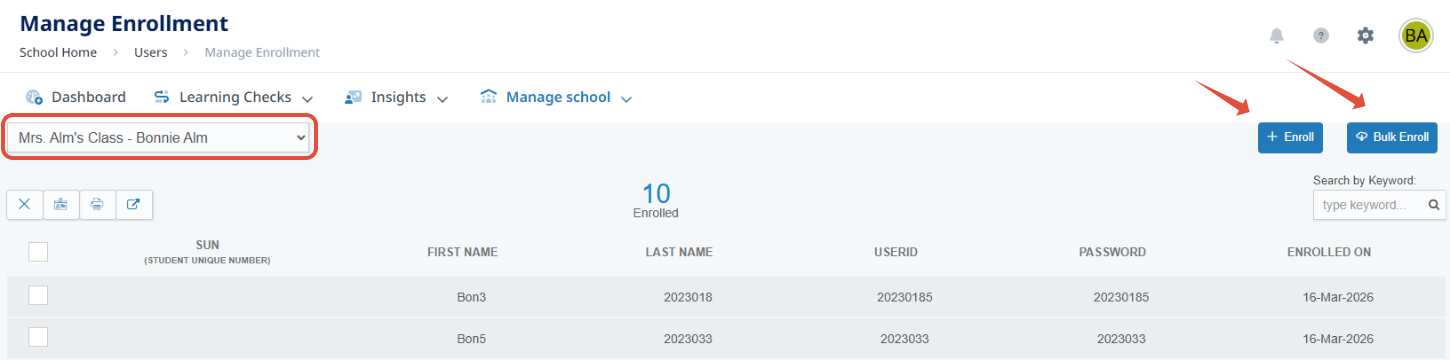
- The Enroll option allows you to enroll students from a list of students that have been synced into your account and the Bulk Enrollment option allows you to copy and paste your students' user IDs to enroll.
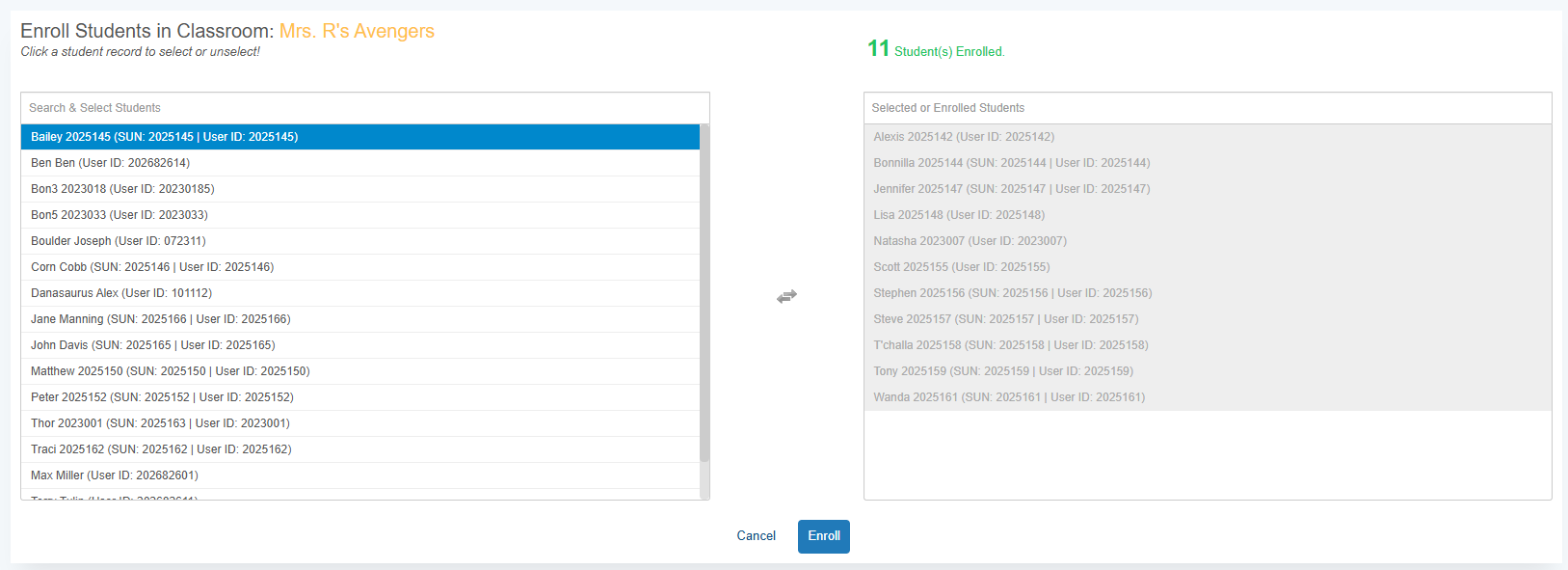
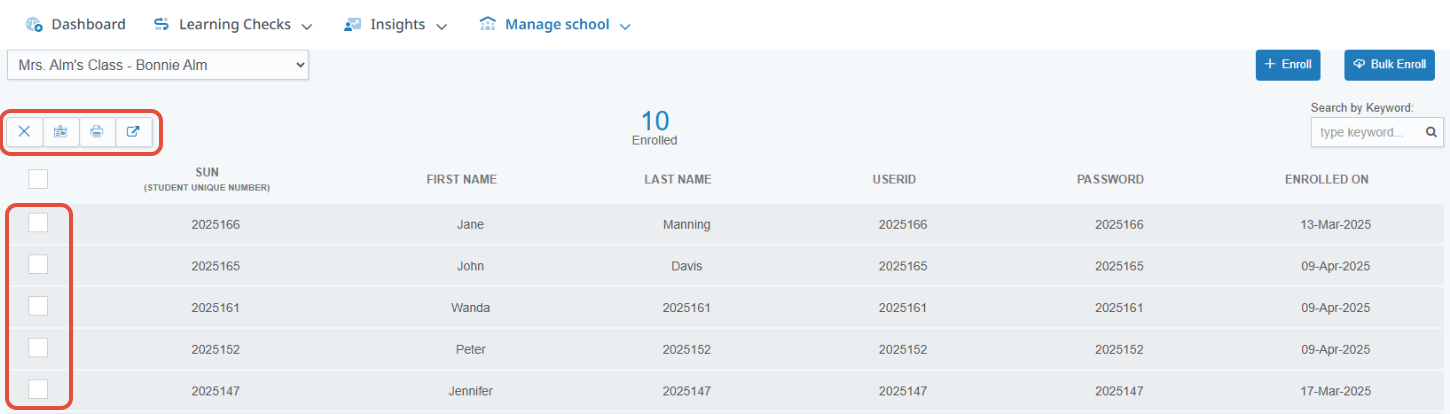
- Once your students have successfully been enrolled in the designated classrooms, you will see them listed in each classroom in the Manage Enrollment view and you are given the options to unenroll students, download students' sign-in cards, print parent invitation letters or move students to another classroom.
 Note: If your students are automatically rostered and synced through ClassLink or Clever and you attempt to click on any of the options above, you will receive a pop-up that says "The classroom is managed by an auto-rostering process. Changes made in the SIS will sync automatically."
Related Resources
Was this article helpful?
That’s Great!
Thank you for your feedback
Sorry! We couldn't be helpful
Thank you for your feedback
Feedback sent
We appreciate your effort and will try to fix the article