Overview
This article walks district and school administrators through how to manage teachers, students, and classrooms in their site license.
Steps to Follow
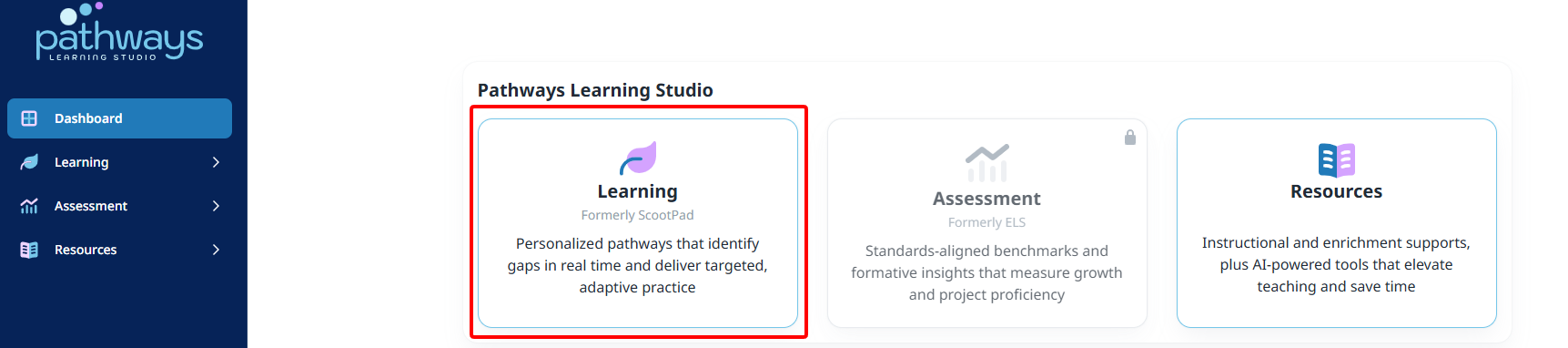
- Launch the Learning module from the dashboard and then your school or district.
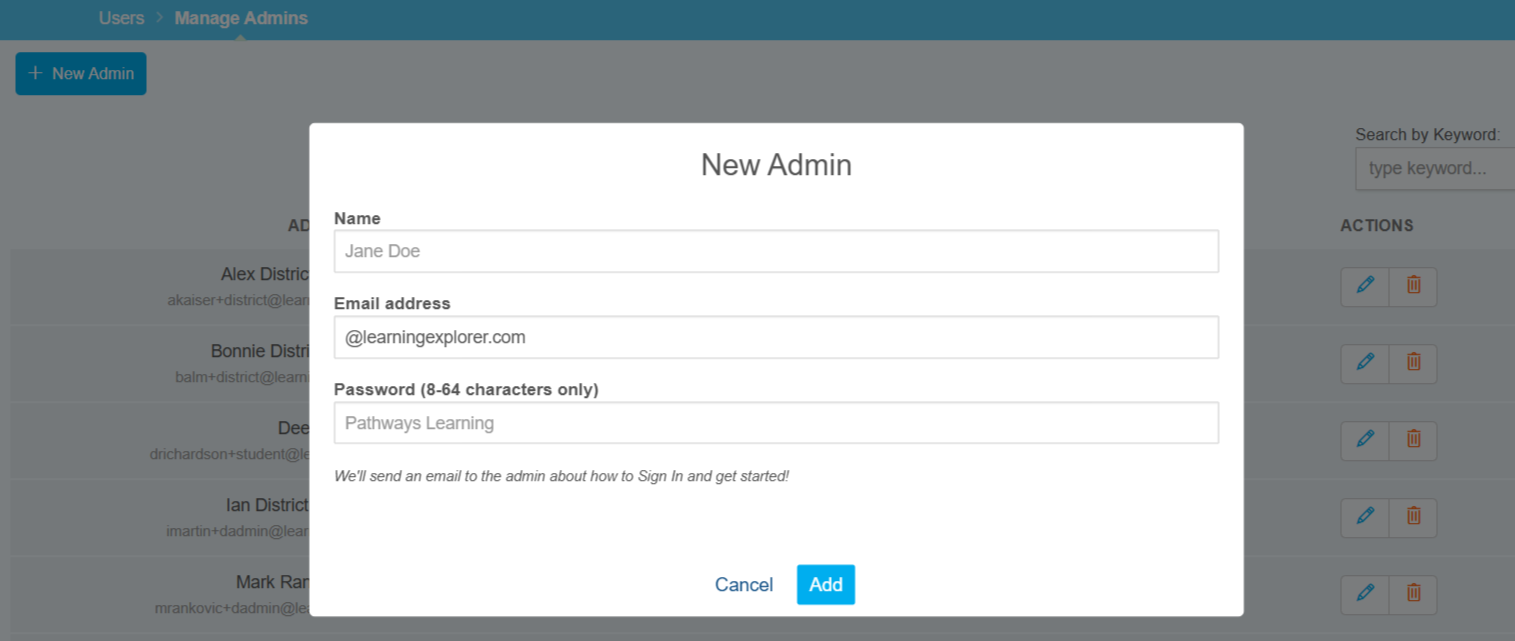
- District administrators can manage (add, edit, and delete) other district administrators.
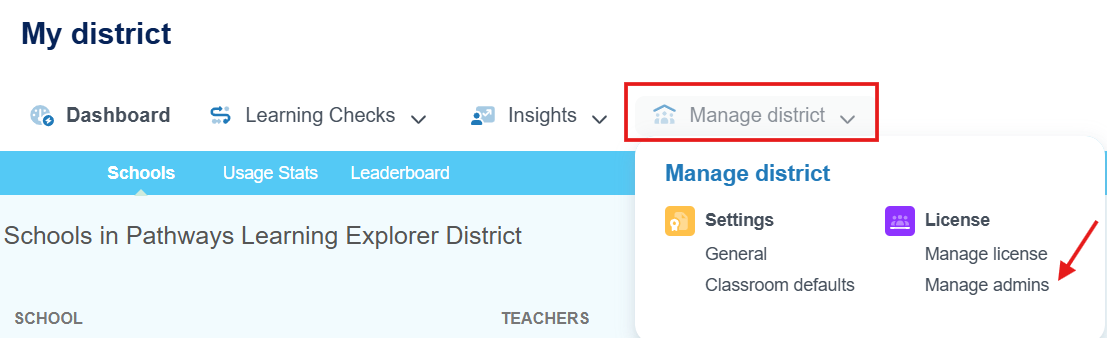
- District and school administrators can manage users and classrooms by navigating to those respective areas.
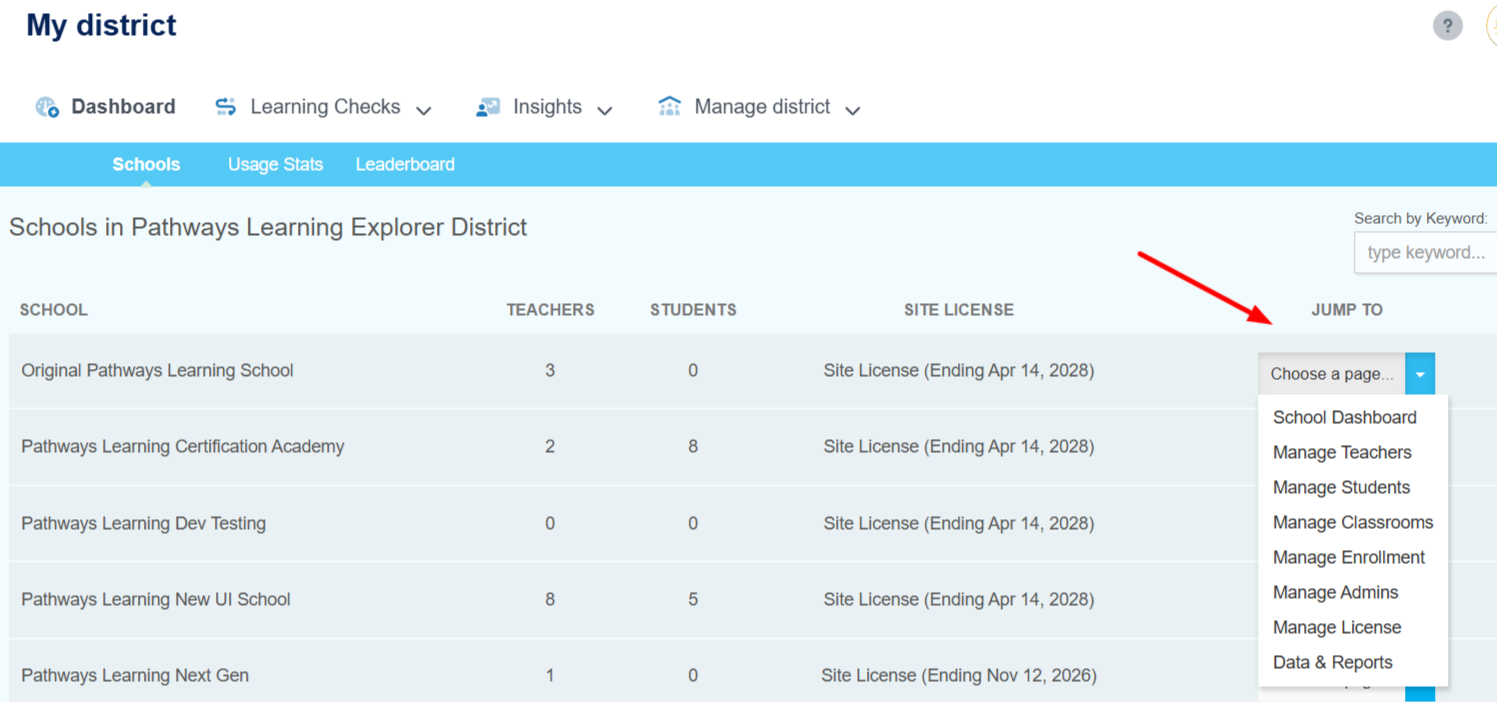
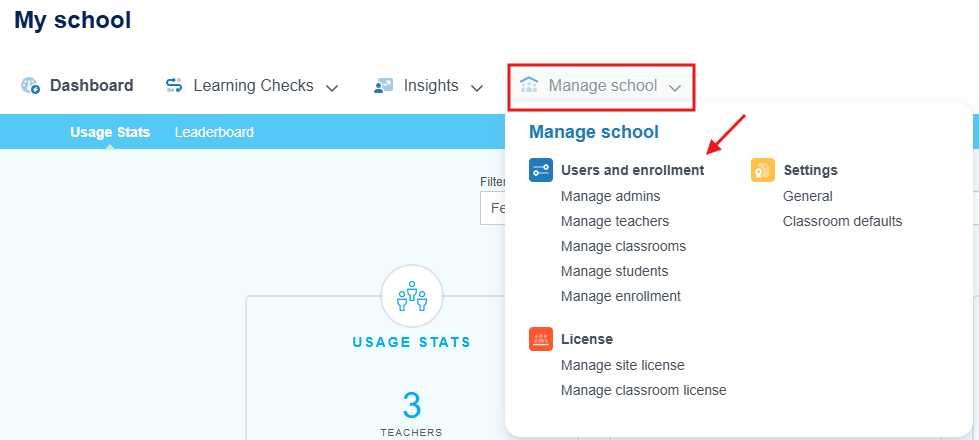
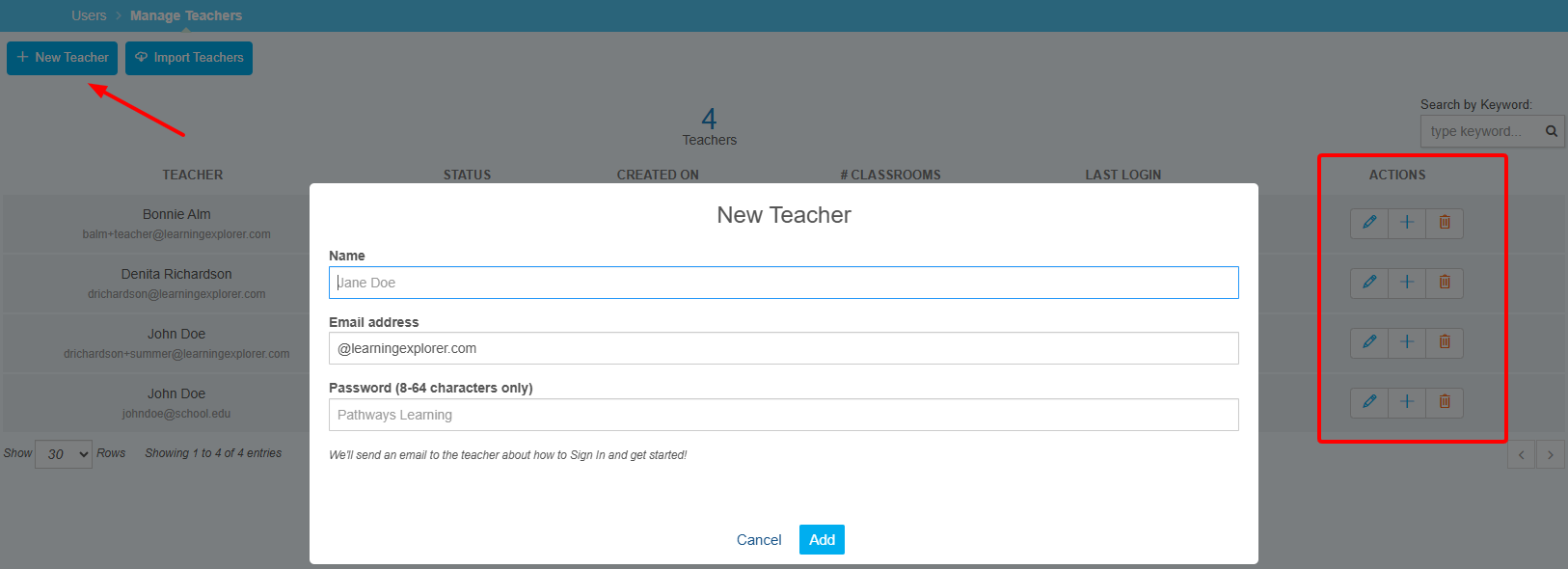
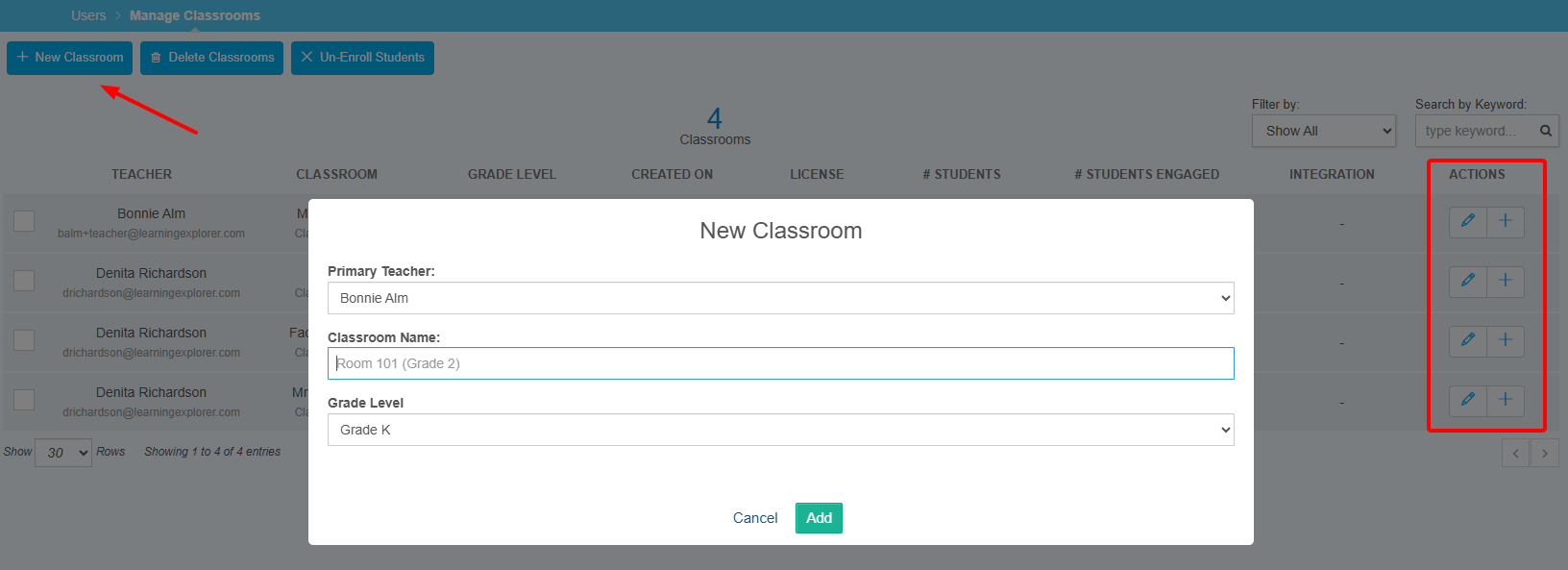
- If the license permits managing teachers, classrooms, and enrollment, selecting those areas will allow the administrator to perform certain actions.
- Students are always managed externally and synced to Pathways Learning every 6 hours. There are some options administrators have access to, including downloading sign-in cards and inviting parents.
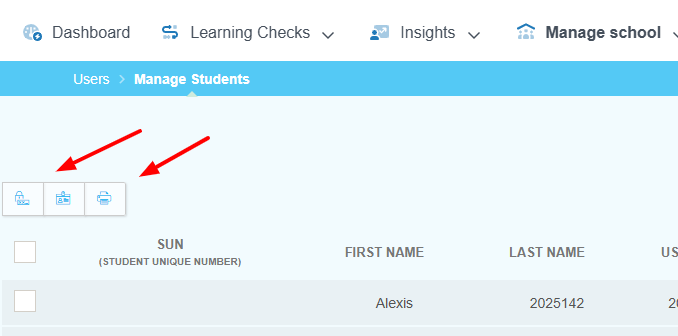
Note: If the account is rostered through Clever or ClassLink, students are managed in the district's Student Information System. If teachers, classrooms, and/or section enrollment are not shared with Pathways Learning through Clever or ClassLink, then the administrator is able to manage this within the Learning module.
Related Resources
Was this article helpful?
That’s Great!
Thank you for your feedback
Sorry! We couldn't be helpful
Thank you for your feedback
Feedback sent
We appreciate your effort and will try to fix the article